IT Help Desk CV Example
Successfully pursuing a career as an IT help desk specialist requires a CV that gives you the edge over other candidates and shows your skills and achievements in context. You'll want to showcase strong skills that are relevant to the role and reflect your experience, including managing user account permissions and resolving OS software conflicts. In this comprehensive guide, you'll learn the steps to producing an IT help desk CV that puts you in pole position to progress to the interview stage.
An IT help desk CV that includes all the necessary details and is tailored carefully to the job description puts you in a great position. It can help you pass the ATS screening stage, make a strong impression with the employer and reach the latter stages of the recruitment process. Let’s break down the core components of a CV and examine how to build them effectively.
Standard IT help desk CV sections
How you approach writing your IT help desk CV will vary according to your experience, your level and the details outlined in the job description.
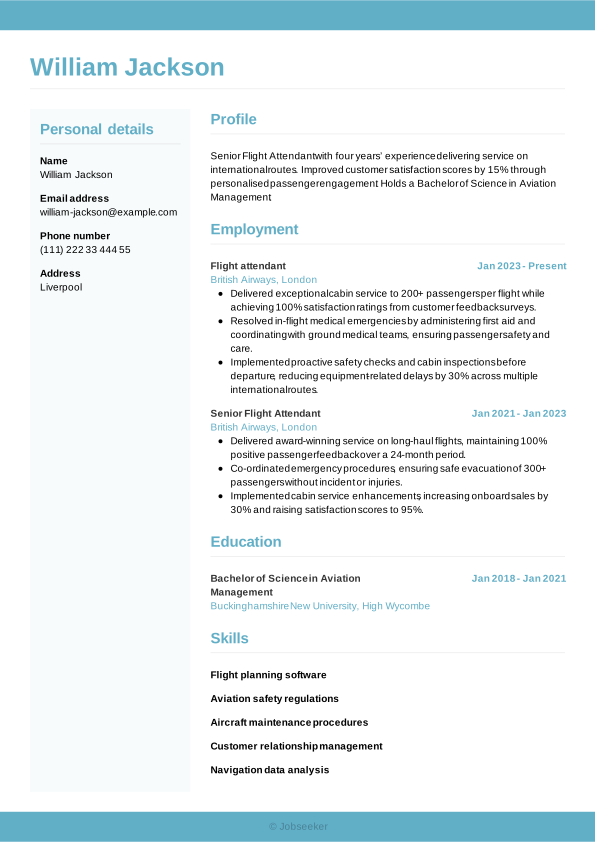
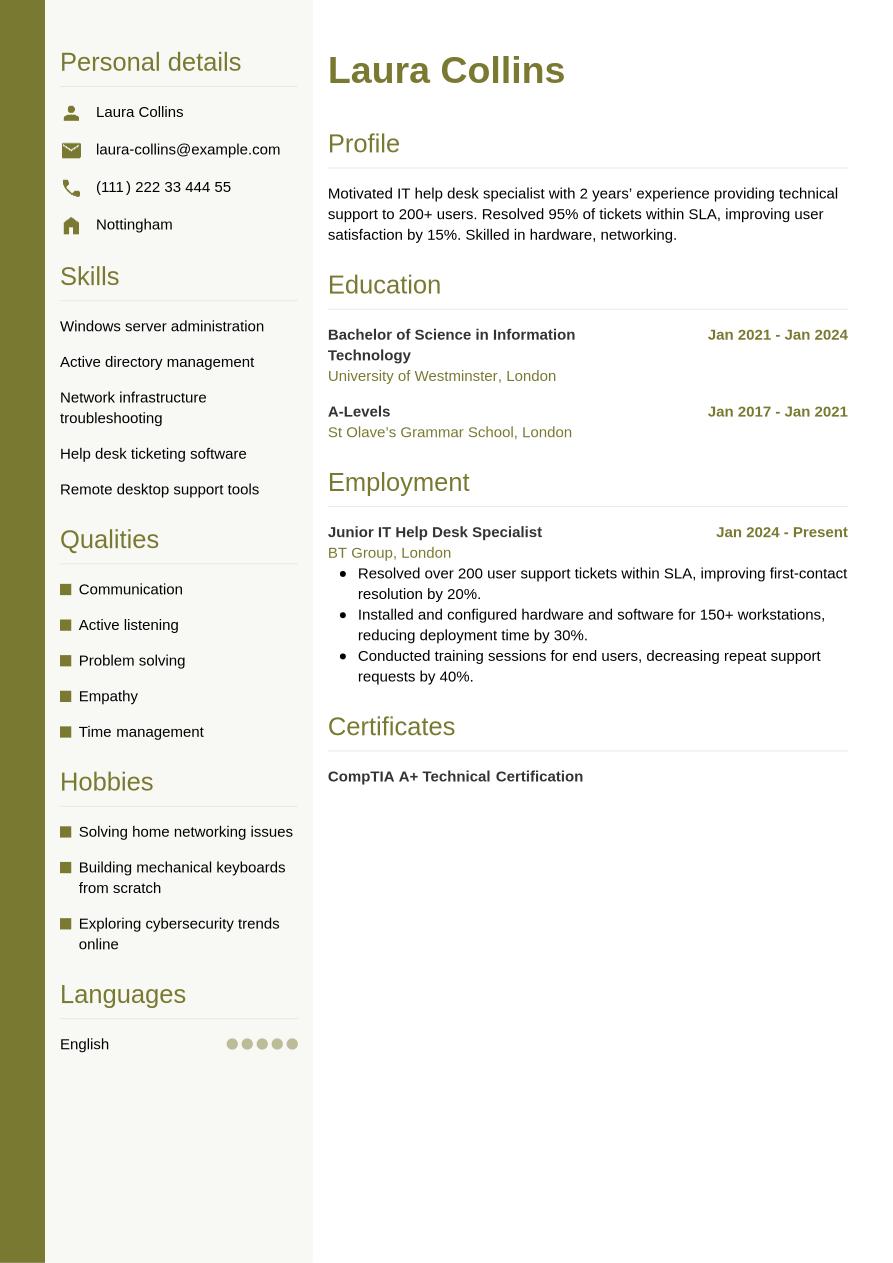
As a junior candidate, you might lack a wealth of work experience, so you'll want to show the employer you have the skills necessary for the job through other sections. As a junior candidate, therefore, you might prefer to use a functional, or skills-based, CV format. This layout brings your skills and education sections to the fore, de-prioritising your work experience section. Use optional sections such as hobbies and interests, volunteering and certifications and training to help you prove you have the necessary skills for the job.
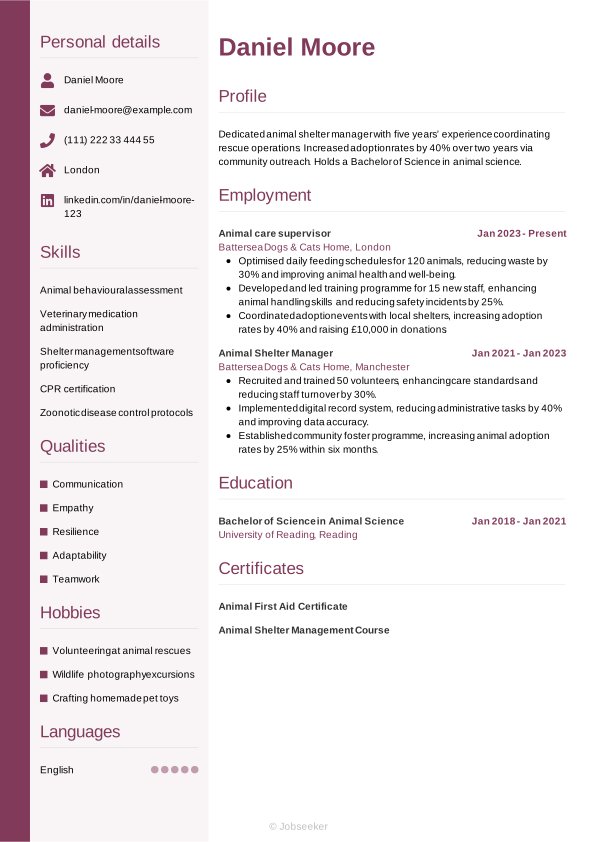
If you've built up some work experience in relevant roles or industry sectors, you'll want to choose a CV format that showcases your career trajectory. Hiring managers will be keen to see how you've used your skills to create positive results for employers in previous roles. In this case, opt for a traditional, reverse-chronological CV to showcase your work experience in the best possible way. List your most recent and relevant jobs first and use bullet points to demonstrate your skills and the impact they've made.
As an executive or senior-level candidate, it's critical to focus primarily on work experience in your CV. This is because employers will be expecting candidates to have a wealth of relevant experience, and to have reached a prominent position within the industry. Therefore, you'll want to create a detailed CV that follows the traditional, reverse-chronological format and showcase the depth of your experience and your career progression. You could also include professional memberships, publications, awards and key achievements to show your expertise.
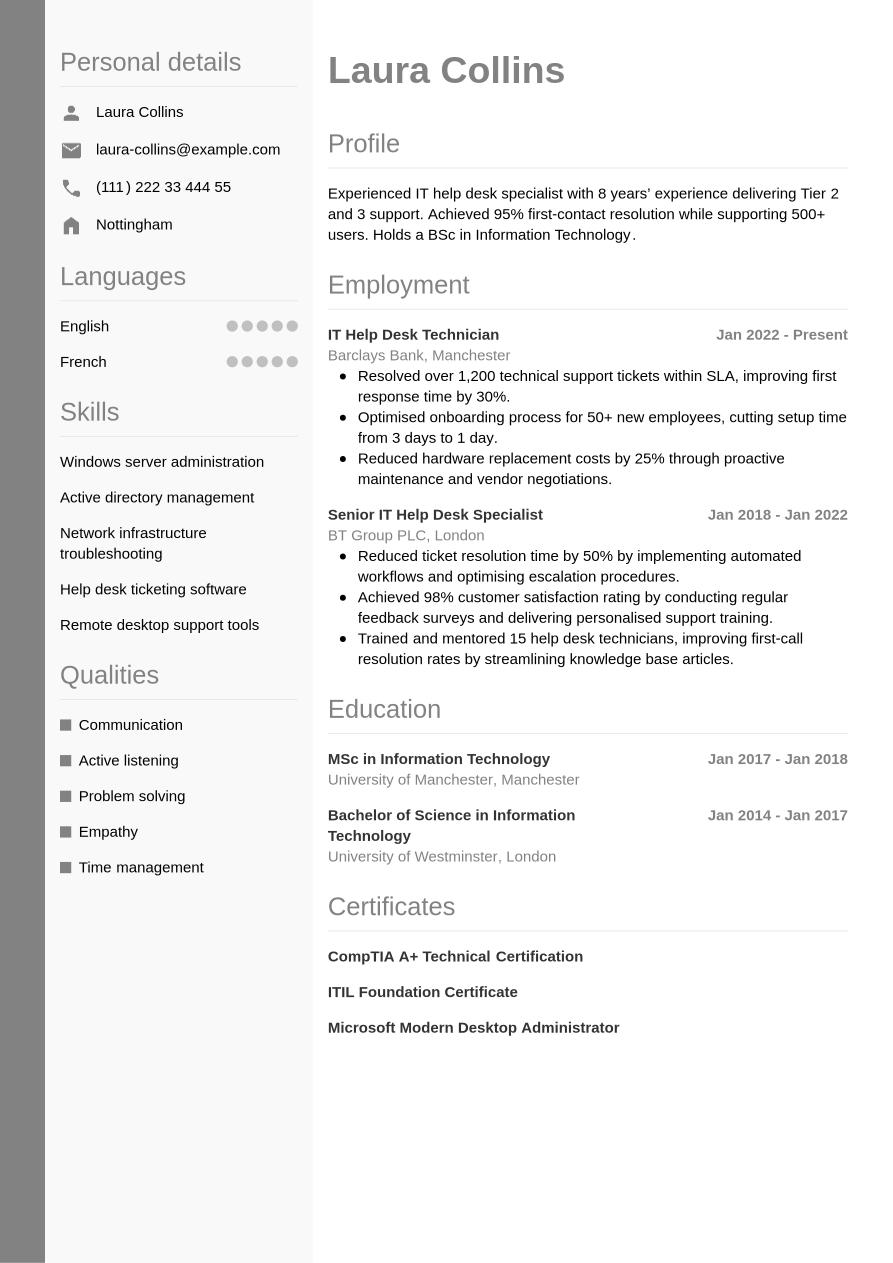
At the end of the day, though, an IT help desk CV is just a way to tell the story of how you’ve grown in your career. Regardless of your experience level, you want that progression to feel seamless and easy to follow for recruiters. To help you get there, we’re going to walk through each part of the CV step-by-step, starting with the basics in your header and working our way through to your professional achievements.
CV Header
Start your IT help desk CV with a professional-looking header that includes all the relevant contact information. This usually includes your name, your email address, your phone number and your location, but not your full address. Additionally, listing your LinkedIn profile in your CV header can be valuable. It serves to provide more detailed information about your career journey, your qualifications and your industry standing, in an easily accessible way.
For UK applications, it's not usually advisable to include a personal photo or any other personal details, such as your age, gender, nationality or ethnicity. These can risk introducing bias to the decision-making process and are discouraged under the terms of the Equality Act 2010.
Laura Collins
laura-collins@example.com
(111) 222 33 444 55
Nottingham
linkedin․com/in/laura–collins–123
CV Summary or Objective
Under your header, write a brief CV summary or CV objective, outlining a few of your key skills, qualities and achievements. This short paragraph can help employers to quickly assess your suitability for the role, setting the tone for your IT help desk CV. While a CV summary showcases your key skills and achievements in the context of your career to date, a CV objective provides an alternative approach. It focuses instead on your ambitions for the future, making it ideal for junior candidates without much work experience.
Both a CV summary and objective should be concise, with an ideal length of two or three sentences. List your key skills, personal strengths and career achievements or ambitions, taking care to ensure the content reflects the requirements listed in the job description.
A good CV summary would typically focus on a couple of key skills that match the job description, demonstrating how you've used them to good effect in previous roles. It's important to focus on your unique qualities and provide a preview of how they've made an impact in your career to date, which you'll unpack later in the document. Below you'll find a good example of how to write an effective IT help desk CV summary. The example shows quantifiable achievements and well-structured sentences.
Best example:
Dedicated IT help desk specialist with 5 years’ experience resolving technical issues and improving user satisfaction. Former IT Help Desk Technician achieved 98% first-call resolution. Holds BSc in Information Technology.
Poor example:
Reliable IT help desk specialist providing general technical assistance and troubleshooting support, drawing on prior experience and academic training to offer user support and contribute to basic IT operations.
The IT help desk CV summary above gives you an idea of what to avoid. The differences are subtle, yet significant. Your summary could miss the mark if it's too generic and doesn't describe unique personal qualities and strengths. It might also be vague, use long, unstructured sentences, lack quantifiable evidence of your impact, or not be tailored to the job description.
Work Experience
A CV's work experience section is usually its most important element. Employers will want to see how you've developed relevant skills in previous roles, and how you've put them to good use in successful projects and career achievements. Ensure you tailor your work experience section to reflect the job description and show you meet all the essential requirements. This means picking out skills and qualities as keywords and reflecting them back in your work experience bullet points, so employers can assess your likely fit for the role.
Create a list of all your most relevant roles, going back up to 10 or 15 years if necessary. Include your job title, the name of the employer, its location and the dates you worked there. Include bullet points that explain how you put your skills to good use in each previous role.
What differentiates an excellent work experience section from an average one is the use of action verbs and quantifiable evidence, showing how your actions led directly to positive results in previous roles. You'll also want to show how you've added relevant skills and increased your impact throughout your career progression. Take a look at this IT help desk CV example work experience section for inspiration:
Best example:
IT Help Desk Technician, January 2023 - Present
Brightside Technologies Ltd, Birmingham
- Resolved over 1,500 user issues across hardware, software and network systems within SLA targets, improving customer satisfaction by 25%.
- Implemented automated ticket prioritisation system reducing average resolution time from 48 to 24 hours and boosting team efficiency.
- Delivered comprehensive training sessions for 200 staff on new software tools, decreasing recurring support requests by 40%.
Poor example:
IT Help Desk Technician, January 2023 - Present
Brightside Technologies Ltd, Birmingham
- Provided general IT support to users across different departments and platforms.
- Responded to technical queries and escalated issues when required for resolution.
- Maintained documentation and collaborated with teams to address routine system faults.
Above is an example of what not to do with your IT help desk CV. An unengaging work experience section could be too generic, focusing too much on day-to-day duties rather than skills and achievements. It could also fail to address the job description or lack evidence to show the impact you've made in your career to date.
Education and Qualifications
In your education section you'll want to list your highest and most recent qualifications, particularly if they're a requirement for the role.
To work as an IT help desk specialist, it's not necessary to have a specific degree. However, while a degree isn't usually requested in the job description, it can be useful to include other relevant qualifications in your CV's education section. These might include CompTIA A+ Technical Certification, or other courses that show your hard skills, such as windows server administration or active directory management.
When adding your qualifications to your education section, choose the highest relevant qualifications, and list them in reverse-chronological order, starting with your most recent. Add the name and level of the award, the institution, its location and your dates of study or graduation. If you have space or if you particularly want to emphasise your qualifications, you could add one or two bullet points under each entry, highlighting specialist areas of study, projects you worked on, awards you won or societies you were a member of.
If you have any specialist certifications or licences that are necessary for the role, or help you stand out above other candidates, you may wish to mention them here. When adding any special licences, it's a good idea to also reference their expiry or renewal dates, if applicable.
Bachelor of Science in Information Technology, 2018 - 2021
University of West London, London
Skills
In your CV skills section, include a combination of the key hard and soft skills you possess, that make you a suitable candidate for the position. Make sure your skills list reflects the requirements specified in the job description, and include a few skills that are unique to you, and help set you apart from the pack. For an IT help desk CV, you'll want to focus on the most relevant skills for the role that match your skill set, including problem solving and network infrastructure troubleshooting, to catch the reader's attention and show you're qualified for the IT help desk specialist position.
Hard Skills
Hard and technical skills are the essential skills required for carrying out the everyday duties of the role. They might include specialist operation of certain software or equipment, or knowledge of certain industry standards and regulations. You could gain these skills via training, certifications or industry experience. For IT help desk specialist positions, hard skills that match your abilities, such as active directory management, and network infrastructure troubleshooting tend to be valued by recruiters and hiring managers. Review the job description, and include four or five key hard skills in your CV that show employers you're capable of completing the key duties of the role.
The ideal hard skills section will feature the most essential hard skills from the job description, while closely reflecting your own best technical abilities. The closer your strongest skills are to matching the job description, the higher your chances of success.
See below for examples of skills that are frequently included in the hard skills section of an IT help desk CV:
- Windows server administration
- Active directory management
- Network infrastructure troubleshooting
Soft Skills
In your soft skills list, add any personal qualities and transferable skills that show you'll be a good fit for the role, you'll settle in well with the organisation and you'll complement other team members. Soft skills are typically more transferable and applicable to different roles than hard and technical skills. As a result of rapid technological changes in the world of work, soft skills are becoming ever-more valued by employers. Soft skills can also be particularly valuable for junior or entry-level roles where candidates haven't necessarily had the time to develop hard skills and career achievements.
Similar to your hard skills section, it's best to first review the job description to know which soft skills to focus on in your IT help desk CV. You'll want to include a combination of soft skills that you can provide evidence for throughout your CV. Create a list of four or five transferable skills, combining the most essential skills from the job description with the skills that help you to stand out as a unique and compelling candidate for the position.
Below is a selection of soft skills regularly featured in an IT help desk CV.
- Communication
- Active listening
- Problem solving
Language Skills
If you speak a foreign language, it can be beneficial to include a languages section on your IT help desk CV. Whether languages are a requirement of the job description or not, if your CV lists additional languages, this typically reflects well on you as a candidate. Within this section, list the foreign languages you speak to a reasonable degree of competence, together with an indicator of your skill levels.
There are several ways to cite your proficiency in foreign languages. Firstly, you could use a simple descriptive word to indicate your abilities, such as:
- English: Fluent
- Spanish: Intermediate
Alternatively, use an internationally recognised framework for languages, such as the Common European Framework of Reference (CEFR). This gives your language skills a standardised competence indicator, as follows:
- A1: Beginner
- A2: Elementary
- B1: Intermediate
- B2: Upper intermediate
- C1: Advanced
- C2: Proficiency
Certifications and Licences
To showcase additional qualifications and training beyond the basic requirements for the role, consider adding a certifications section to your CV. Having a separate section can draw more attention to your training, and show employers your proactive, motivated mindset towards professional development, which could be a key asset. Furthermore, a certifications section is particularly valuable if you're applying for a role that sets out required certifications or licences in the job description. These might include technical roles that require the use of specialist software or equipment.
Here are some key examples of certifications and licences that you could add to your CV for IT help desk specialist positions:
- CompTIA A+ Technical Certification, 2023
- ITIL Foundation Certificate, 2023
- Microsoft Modern Desktop Administrator, 2023
Expert Tip:
Barnet Council shows that recruiters spend only 8.8 seconds reviewing a CV, so a concise personal statement is essential to grab attention immediately. (1)
Optional Sections
Optional sections can be useful to add to your CV, to provide additional evidence that you have the skills for the IT help desk specialist job. Consider including a few optional sections to your CV if you think you need to provide extra information to prove your credentials. These sections can be particularly valuable if you lack relevant work experience, such as for entry-level roles, or if you're changing careers to a completely new field or specialism.
And if you'd like more tips on making your CV stand out, explore our career resources. They’re designed to help you showcase your strengths and boost your chances of landing the job.
Hobbies and Interests
Your hobbies and interests can be a useful way of showcasing additional skills that are relevant to the job description, but that you haven't been able to prove via your work experience. In addition, this section is the ideal way to show aspects of your personality that might not otherwise shine through in your CV, helping to offer a point of difference compared to other candidates. However, hobbies and interests can only add value to your CV if they provide evidence of skills and experience that you can use in the role you're applying for. As such, only add hobbies as a way of filling gaps in the skills you've developed or used through work experience.
Achievements
Including an achievements and awards section is an effective way of showing the reader the value you've added for employers in your career to date. If you've won any awards or achieved any key milestones in your career to date, you might want to mention them here.
Voluntary Work
Another alternative to showcasing your skills and experience through work experience is by adding a volunteering section. This can give you a valuable showcase of your skills, particularly if you're a junior candidate or career changer without much relevant work experience. Structure your volunteering section the same as your work experience section.
Add your job title or the name of the volunteer role, the organisation, its location and the dates you volunteered. Also add some bullet points outlining your skills and experience in the role, as well as any key achievements.
Analytical Insight:
Hiring managers spend an average of 30 seconds reviewing a CV to assess its likely fit for the role, so it's essential to clearly highlight your skills, experience, and evidence of your achievements. (2)
Top action words to use in an IT help desk CV
Adding strong action verbs to the bullet points in your CV's work experience section is a great way to focus on the key skills required for the job, while showing the impact you've made. Start each bullet point with an action word that reflects the job description, so the reader can easily identify your best qualities. When adding action verbs to your work experience bullet points, just remember to always provide quantifiable evidence that shows the value you added for each employer. Use past tense for any action verbs that describe previous roles (for example, 'developed') and present tense for current roles (for example 'collaborating').
- Troubleshoot
- Diagnose
- Resolve
- Support
- Install
- Configure
- Maintain
- Document
- Escalate
- Analyse
IT help desk CV sample
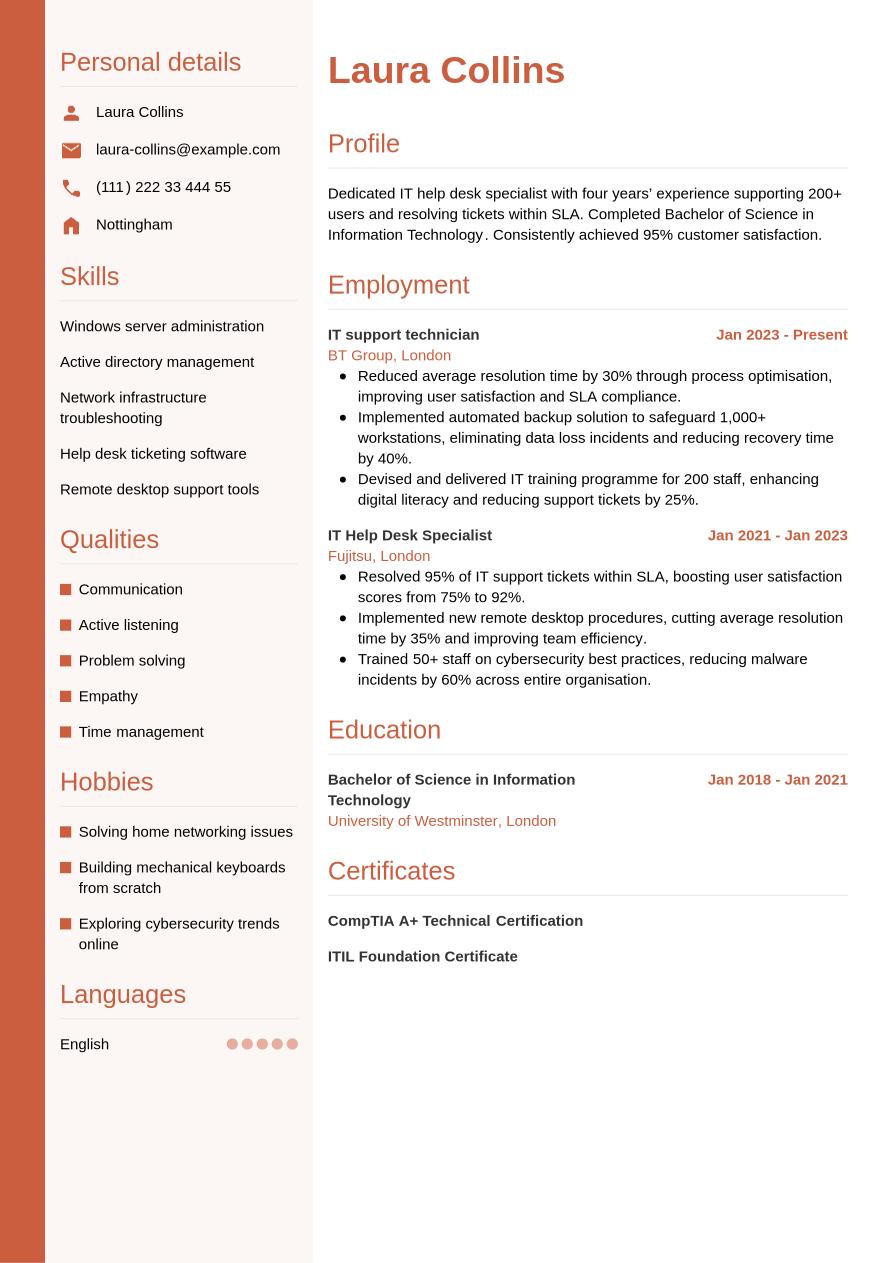
Now we've shown you everything that needs to go into your IT help desk CV, we can take a look at how it comes together in its final form in the following example:
Nottingham
•
laura-collins@example.com
•
(111) 222 33 444 55
•
linkedin․com/in/laura–collins–123
Dedicated IT help desk specialist with four years’ experience supporting 200+ users and resolving tickets within SLA. Completed Bachelor of Science in Information Technology. Consistently achieved 95% customer satisfaction.
IT support technician
2023
-2026
BT Group (London)
- Reduced average resolution time by 30% through process optimisation, improving user satisfaction and SLA compliance.
- Implemented automated backup solution to safeguard 1,000+ workstations, eliminating data loss incidents and reducing recovery time by 40%.
- Devised and delivered IT training programme for 200 staff, enhancing digital literacy and reducing support tickets by 25%.
Bachelor of Science in Information Technology
2018
-2021
University of Westminster (London)
Windows server administration
Active directory management
Network infrastructure troubleshooting
Communication
Active listening
Problem solving
CompTIA A+ Technical Certification
ITIL Foundation Certificate
English - Native
French - Advanced
If you're not sure what your one-page, finalised CV design might look like, check out our examples.
Dos and don'ts for a winning IT help desk CV
Tips to follow
- Quantify your achievements as much as possible, offering evidence to support your claims, such as key performance metrics, other data or feedback you received.
- Start your CV with a CV summary or objective that grabs the attention of the reader, clearly summarising your key skills and achievements.
- Keep your CV as concise as possible, aiming for a length of one side of A4 for junior roles, or two for more experienced candidates (longer than two sides is only necessary for senior or academic positions).
- Use a reverse-chronological approach to listing your career timeline and education, starting with your most recent roles and courses, and working back from there.
- List your qualifications in a standalone education section, adding grades and awards where these can help you stand apart from other candidates, such as for junior positions.
Common mistakes to avoid
- Don't add personal information such as your age, gender, marital status or personal photo (unless necessary for the role).
- Don't lie or exaggerate about previous jobs or your qualifications – it can backfire or even be considered fraud.
- Don't use passive voice, such as 'financial statements were prepared', but opt instead for powerful action verbs that showcase the impact you made.
- Don't overburden the reader with too much information but stick to the most relevant, concise and focused content possible.
- Don't use overly complex or fussy formatting that can make your CV harder to read, or confuse ATS scanning tools.
A courteous, professional cover letter can make all the difference to your job applications. Our cover letter templates have been designed by experts to help you make the best impression with hiring managers.
How to make your CV ATS compatible
Applicant tracking systems (ATS) are a valuable tool for many recruiters and employers, helping them manage the recruitment process by scanning and assessing CVs based on their likely fit to the job description. This task can relieve some of the strain on hiring managers through the recruitment process, which can become very resource-intensive, with roles often eliciting hundreds of applications.
The growing prevalence of ATS apps requires a shift in approach by jobseekers, to prepare a CV with the best chance of passing the ATS screening stage. That's why we've put together a list of key ATS CV tips, to maximise your chances of success:
- Include keywords and phrases that mirror the job description, increasing your chances of ranking highly in the ATS screening stage.
- Use standard CV headings that clearly identify each section, such as 'work experience', 'education' and 'skills'.
- Choose a simple, standard CV structure and omit any design elements that might make your CV less easy to read by automated systems, such as text boxes and columns.
- Select a font that can enhance the readability of your CV, such as popular serif and sans serif fonts, with size 10 to 12 for body text and 14 to 16 for headings.
- Use bullet points in place of full sentences and paragraphs. This can reduce the overall length of the document, make the keywords stand out and make it easier for ATS apps to scan.
It's easy to get overwhelmed by the steps to creating an ATS-compatible IT help desk CV, but a few small changes can make a big difference. To smooth the process, use one of our expert-designed, ATS-optimised CV templates to increase your chances of success at this stage of the screening process.
If you're looking to make a strong first impression on hiring managers with your CV, use Jobseeker's eye-catching CV templates, which are approved by HR experts.
IT help desk CV FAQs
How do I create an IT help desk specialist cover letter to go with my CV?
A well-written cover letter can be just as important as a CV for your chances of job application success. When writing your cover letter, choose a formal professional letter format and use a cover letter template that matches the design of your CV.
The typical cover letter includes three key sections of content. Firstly, introduce yourself, confirm the role you're applying for and explain why you're applying for the position. Next, outline some relevant key skills and achievements from your career without repeating the details in your CV. Finally, express your gratitude to the employer for considering your application and leave a call to action that encourages them to contact you for an interview, or to establish dialogue.
As an alternative to the traditional cover letter, you may wish to send your application via email with a simple cover note. This includes a short introduction to yourself, confirms the role you're applying for and directs the reader towards the attached CV. With email cover notes, you don't need to follow full letter-writing conventions and can be less formal in your tone. Always include your contact details in your sign-off or email footer.
Jobseeker's cover letter examples for information technology industry job titles can help you gain valuable insights from HR specialists on how to craft the most engaging, professional cover letter.
How do I write an IT help desk CV to impress without experience?
Even without work experience that fits the job description, there are ways to write an IT help desk CV that leaves a strong impression on employers.
Opt for a CV structure that focuses more on your relevant skills than your work experience, such as a functional CV format. The order of this CV layout places the skills section first after your CV summary, before education, with work experience taking less priority.
For entry-level roles, employers tend to look more for candidates with the right soft skills to show they can learn and develop on the job. As such, place extra emphasis on your soft skills for an entry-level IT help desk CV.
How do I write an IT help desk CV headline?
A well-written CV headline can be an effective way of introducing your CV, helping it be more compatible with ATS apps and engaging the reader early in the document.
Look to write a short, engaging sentence that encompasses your best qualities, including the job title to indicate your relevance and suitability for the role.
To give your CV the best shot at success, write a CV headline that focuses on the most essential keywords and phrases from the job description. This will strike a chord with the hiring manager and help your CV to pass the ATS screening stage.
The examples below show best practice for writing a CV headline at different experience levels:
- Ambitious Junior IT Helpdesk Specialist
- Dedicated IT Help Desk Specialist
- Senior IT Help Desk Specialist
What's the best IT help desk CV format for 2026?
The most suitable format for your IT help desk CV in 2026 will depend heavily on numerous factors, such as your career stage and experience levels, the type and level of the role, the organisation and established industry norms.
Generally, the most effective CV format for candidates with some work experience is the traditional reverse-chronological structure. This layout prioritises your work experience section to show how you meet the job description, with examples of your key skills and achievements.
Conversely, for less experienced candidates such as graduates and career changers, a functional CV format may work better, as this highlights your key skills and qualifications over your work experience.
Key takeaways for a winning IT help desk CV
For the best chance of impressing employers, always tailor your CV for every application and include keywords and phrases that reflect the job description. Choose the most fitting CV format for your experience level, and focus on showcasing how you've developed the necessary skills for the role, and used them to positive effect in previous roles.
Finally, using a clean, professional CV template like those offered by Jobseeker, can help your CV stand out among its competitors and give you the best chance of success with your applications.
Sources:
- Barnet Council (UK local government), Recruitment tips: How to write a supporting statement
- Jobseeker, HR Statistics

Impress employers with your CV
Step-by-step guidance to create a professional CV in minutes.