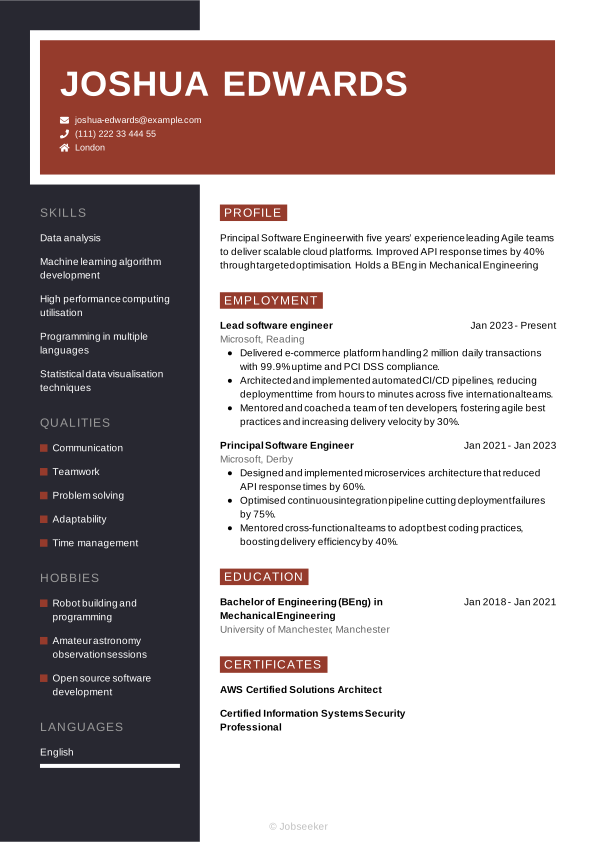
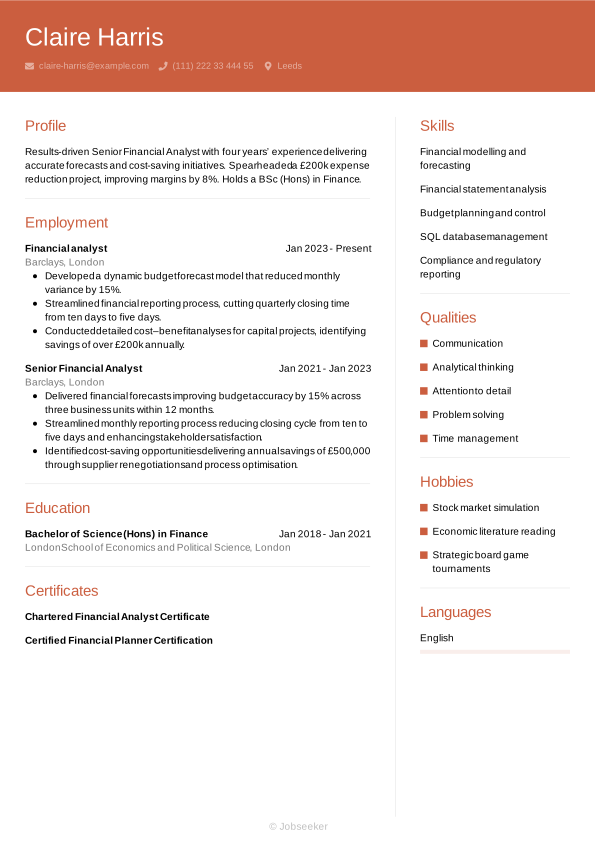
IT Director CV Example
Applying for IT director positions requires a strong CV that showcases your best skills and career achievements. You'll want to focus on key responsibilities that are essential for the role and match your experience, such as managing infrastructure performance and ensuring cybersecurity compliance. In this comprehensive guide, you'll learn the steps to producing an IT director CV that puts you in pole position to progress to the interview stage.
Developing a more strategic an IT director CV will strengthen your ability to move efficiently through ATS screening while positioning you credibly with senior decision-makers. More importantly, it enables you to demonstrate leadership maturity, commercial impact, and organizational influence. Tailoring your CV for each leadership opportunity, with clear evidence of measurable business outcomes, transformation initiatives, and strategic influence, will reinforce your executive credibility from the first review. Next, we’ll review the key sections of a CV and outline how to present them to reflect executive presence and long-term value creation.
Standard IT director CV sections
Your approach to creating your winning IT director CV will differ depending on your experience, your seniority and the details listed in the job description.
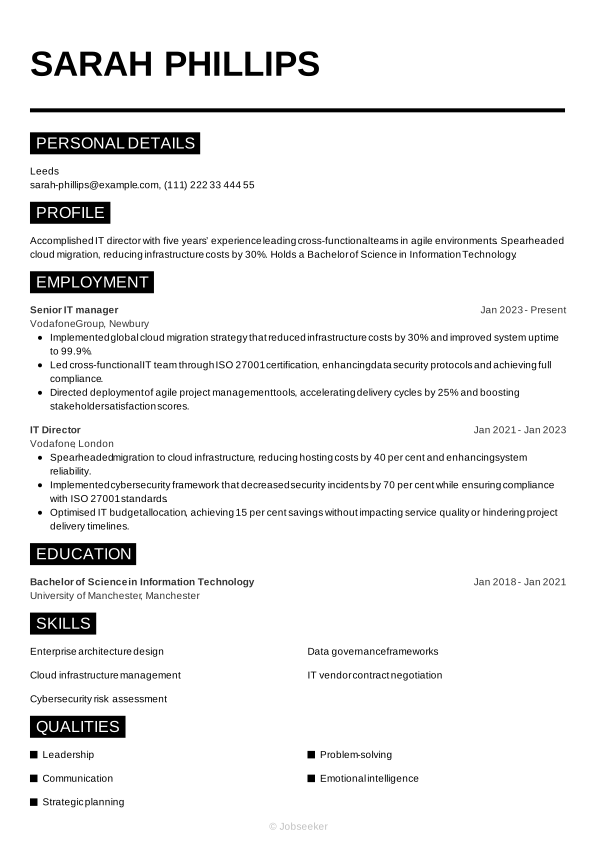
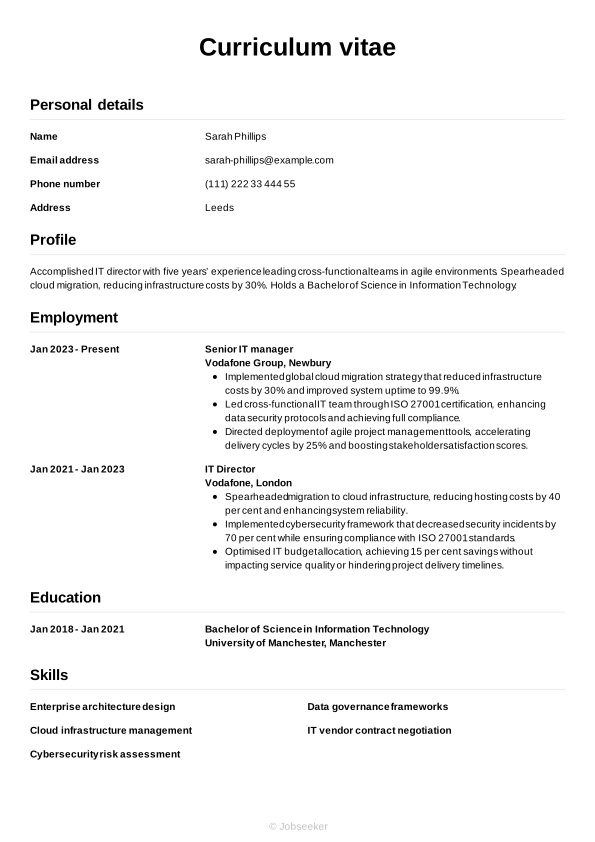
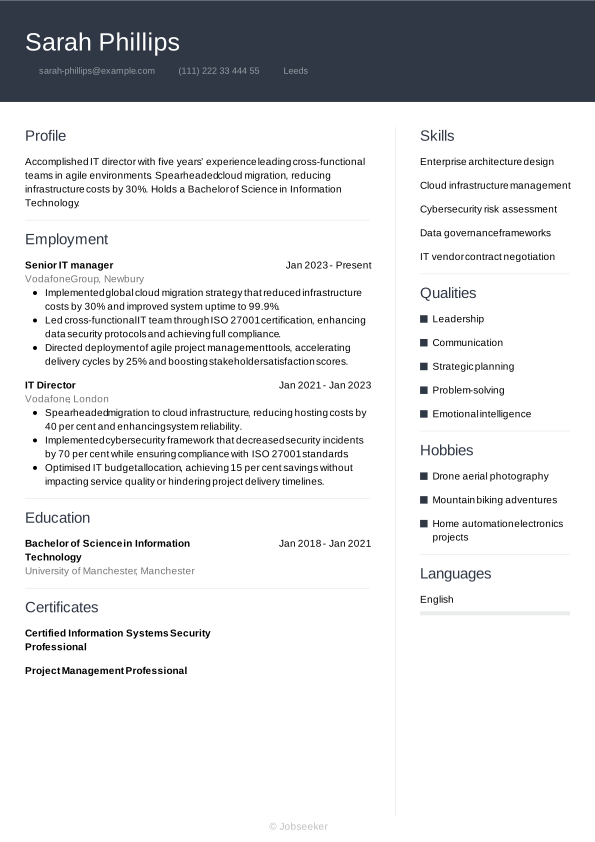
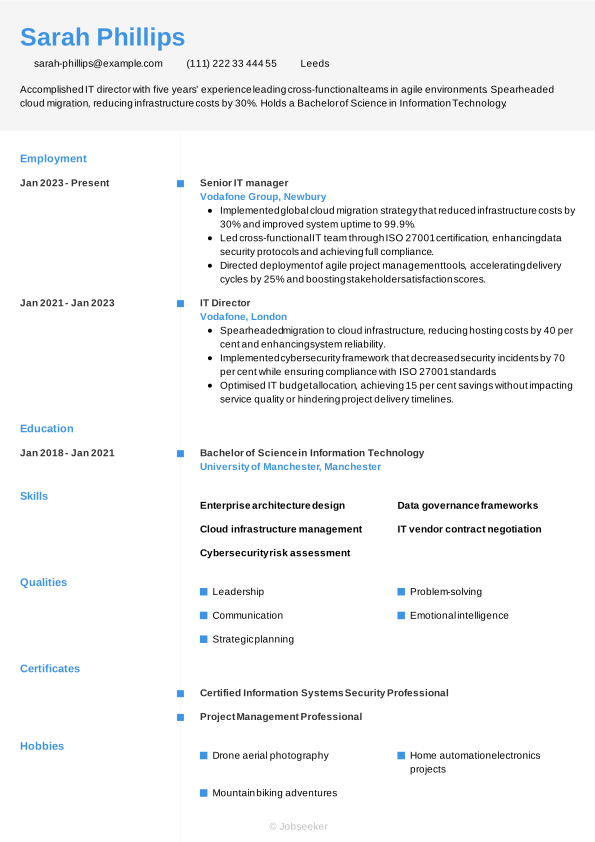
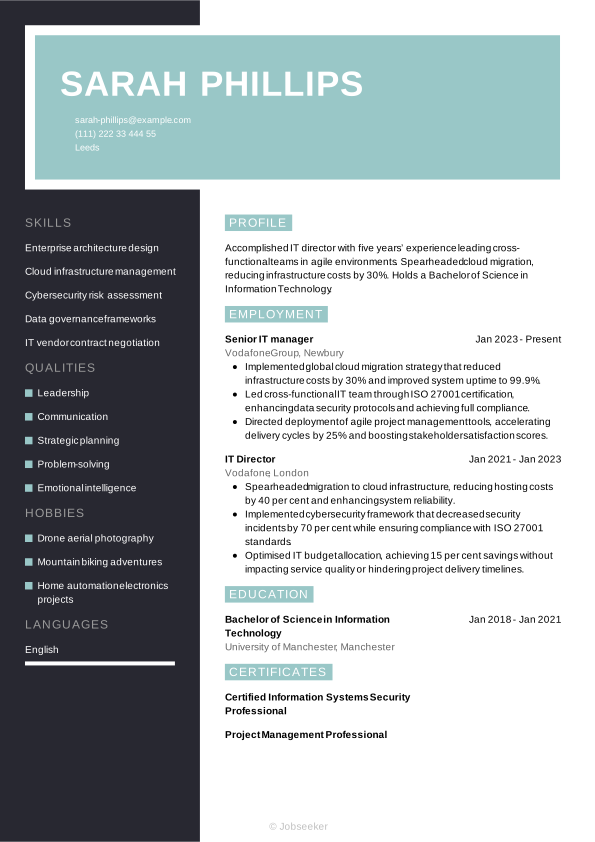
However, regardless of your seniority, an IT director CV needs to tell a cohesive story of your professional growth. In the following sections, we’ll dive into each part of the CV step-by-step, starting with your header and moving through to your professional achievements.
CV Header
At the top of your IT director CV, add a header that establishes the design language of the document. Include the necessary contact information: your full name, email address, phone number and location. It's not typically necessary to include your full address. Additionally, including your LinkedIn profile as a URL can be useful, as it will help the reader to quickly and easily access further information about your career and credentials.
For UK jobs, it's generally not a good idea to add a photo or any other personal details beyond your basic contact information. This means leaving off details such as your age, gender, ethnicity and nationality, as these can introduce bias to the selection process and complications related to the Equality Act 2010.
Sarah Phillips
sarah-phillips@example.com
(111) 222 33 444 55
Leeds
linkedin․com/in/sarah–phillips–123
CV Summary or Objective
The first section below your CV header is typically your CV summary. This short paragraph outlines some of your key skills, achievements and experience, so employers can quickly get an impression of whether you have the right credentials for the IT director job. While a CV summary showcases your key skills and achievements in the context of your career to date, a CV objective provides an alternative approach. It focuses instead on your ambitions for the future, making it ideal for junior candidates without much work experience.
In your summary or objective, write two or three sentences introducing your key skills, unique qualities and career achievements, making sure they match the key requirements listed in the job description.
An effective CV summary will focus on a few of the key skills required for the role and show how you've put them to good use in your career to date. You'll want to give the reader a good impression of your unique qualities and briefly provide evidence of their impact in previous roles. Below you'll find an example of a strong IT director CV summary.
Strong example:
Innovative IT director with five years’ experience leading teams to deliver IT solutions. Previously Senior Information Technology Manager, she reduced infrastructure costs by 25% and improved uptime. Holds a BSc in Computer Science.
Worst example:
Experienced IT director with a background in leading teams and managing technology projects, skilled in overseeing processes, coordinating initiatives and driving organisational improvements while holding a degree in computer science.
Above is an example of a less effective CV summary, with some subtle, yet notable differences. Your summary could miss the mark if it's too generic and doesn't describe unique personal qualities and strengths. It might also be vague, use long, unstructured sentences, lack quantifiable evidence of your impact, or not be tailored to the job description.
Work Experience
As with most CVs, your IT director CV work experience section tends to be the most vital part of your application. Employers tend to look to this section for evidence of how you've developed useful and relevant skills, and used them to add value for previous employers. Always take the time to tailor this section, including keywords and phrases that match the job description. This will help employers to judge how strong a fit you are for the role, and how you might apply your skills for the benefit of the organisation.
List only relevant previous jobs, and add your job title, the name of the employer, its location and your dates of employment. Under this, write several bullet points showing employers how your skills and key qualities contributed to positive outcomes.
When writing your work experience section for senior IT director applications, you may wish to make it longer and more detailed than the same section for a more junior CV. This gives you more space to show the depth and extent of your relevant work experience. You can do this by adding more bullet points for each role, or listing more previous roles.
Standing out with your CV work experience section means using action verbs and measurable outcomes to show the impact you made. You'll want to outline a progression in your skills development, and list evidence of the value you added. Here's an example of best practice in an IT director CV work experience section:
Strong example:
Senior Information Technology Manager, January 2023 - Present
Northpoint Systems Ltd, Manchester
- Led a cross-functional team to migrate 20+ legacy systems to cloud infrastructure, reducing operational costs by 30%.
- Optimised IT support processes and implemented automated ticketing system, improving resolution time by 45% and user satisfaction.
- Spearheaded cybersecurity overhaul, deploying advanced threat detection tools that reduced security incidents by 70% over 12 months.
Worst example:
Senior Information Technology Manager, January 2023 - Present
Northpoint Systems Ltd, Manchester
- Led cross-departmental initiatives to streamline technical operations and improve system performance.
- Directed strategic planning sessions to enhance IT governance and ensure alignment with organisational objectives.
- Oversaw technology teams to foster collaboration and deliver solutions in line with evolving business requirements.
Above you can see an example of what not to do with your IT director CV work experience section. A poor work experience section might look more like a generic list of responsibilities rather than an account of how you've used your skills to positive effect in previous roles. It might also include old or irrelevant job entries and lack tailoring to the job description.
Education
With your education section, you'll draw attention to your most recent and highest qualifications, particularly emphasising any qualifications listed as a requirement in the job description.
IT director roles typically require candidates to have a relevant university degree, and you'll want to showcase this in your CV to confirm your eligibility. Add your Bachelor of Science in Information Technology or another related degree that makes you an eligible candidate for the position, in your CV. If you have any other degrees or qualifications that highlight data governance frameworks, IT vendor contract negotiation or your most relevant skills, you could also add these.
When creating your education section, think about which qualifications are most relevant to the role, and list them in reverse-chronological order, starting with the most recent and working back from there. For each entry, include the name and level of the degree or certification, the institution, its location and your graduation date or dates of study. To emphasise your qualifications and achievements, you might wish to include one or two bullet points, which highlight things like specialist areas of study, projects, dissertations or society memberships.
If you have any specialist certifications or licences that are necessary for the role, or help you stand out above other candidates, you may wish to mention them here. When adding any special licences, it's a good idea to also reference their expiry or renewal dates, if applicable.
Bachelor of Science in Computer Science, 2018 - 2021
University of Manchester, Manchester
Skills
A CV's skills section is the place to show the reader, in an easily accessible format, that you have the necessary skills for the job. Read the job description to understand the most essential skills, and create a list of both hard and soft skills, ensuring you include some of your strongest, most unique characteristics and qualities to set you apart from the competition. For an IT director CV, it's essential to include relevant skills for the role that match your skill set, such as problem-solving and cloud infrastructure management, to impress the reader and show you're qualified for the IT director position.
Hard Skills
Hard skills and technical skills are specialist skills that are essential for carrying out the main responsibilities of the role. You might acquire hard skills through study, or through on-the-job training, and some hard skills may require a certification or licence. For IT director jobs, critical hard skills you've gained in your career can include data governance frameworks, and cloud infrastructure management. Review the job description, and include four or five key hard skills in your CV that show employers you're capable of completing the key duties of the role.
The ideal hard skills section will feature the most essential hard skills from the job description, while closely reflecting your own best technical abilities. The closer your strongest skills are to matching the job description, the higher your chances of success.
Review the examples below to understand which skills are often added to the hard skills section of an IT director CV.
- Enterprise architecture design
- Cloud infrastructure management
- Cybersecurity risk assessment
Soft Skills
Soft skills are the personal strengths and qualities that show employers how well you'll fit into the role and complement other members of the team. Soft skills tend to be more transferable and applicable to different roles than hard and technical skills. The world of work is evolving at a rapid pace, changing the types of hard skills required for many roles, and therefore rendering soft and transferable skills more valuable than ever. Soft skills are also extremely valuable for junior and entry-level roles, where candidates aren't necessarily expected to have a wealth of relevant work experience.
Adopt the same approach as you did with your hard skills list, reviewing the job description to understand the requirements, before assessing which soft skills you can provide evidence for throughout your IT director CV. Your soft skills list should reflect the job description as closely as possible, while also reflecting your strongest, unique talents and personal qualities. Aim for a list of around five key skills.
For senior, executive and director level roles, you'll want your CV's soft skills section to showcase your leadership and management skills. Include soft skills that show you can lead a team or organisation, including decision-making, problem-solving, strategic thinking and negotiation.
Here are typical soft skills candidates include in an IT director CV.
- Leadership
- Communication
- Strategic planning
Expert Tip:
For executive resumes, Public Appointments advises reverse chronological layout and clearly defined sections including personal summaries and relevant certifications. (1)
Certifications, Training and Licences
Depending on the role you're applying for, and the type of qualifications you have, you might want to include a separate section for certifications, in addition to the education section. If you've been proactive in pursuing professional development opportunities throughout your career, it's worth showcasing them. Not only do they make you more qualified, they also show a proactive and motivated mindset. Furthermore, the CV certifications and training section is a great showcase for official licences and certifications when applying for roles where these are a key requirement listed in the job description. These could include positions where the use of specialist software and equipment is a routine part of your everyday responsibilities.
Here are some key examples of certifications and licences that you could add to your CV for IT director positions:
- Certified Information Systems Security Professional, 2023
- Project Management Professional, 2023
- Certified Information Security Manager, 2023
Publications and Projects
One way to gain an advantage in your applications is to add a section for key projects and publications, if you have any to showcase. List any contributions you've made to the academic discourse or knowledge base in your specialist area, whether these are journal articles, research papers or projects funded or sponsored by reputable institutions or awarding bodies.
When listing publications, use a standard citation style which is most suitable for the information technology sector. The most popular UK CV citation style is the Harvard style, but you could alternatively use the APA (American Psychological Association), MHRA (Modern Humanities Research Association) or OSCOLA (Oxford University Standard for Citation of Legal Authorities). Take a look below at an example publication citation for an IT director CV, based on the most suitable citation style:
Sarah Phillips. Optimising cloud-native infrastructure for enterprise-level security. Journal of Information Systems Strategy. 6 (204) 53. 2017
Key Achievements
Compiling your key career achievements into a single list is an effective way of making your CV more readable at a glance. Add any awards you've won or career milestones you've reached, so employers can easily see the impact you've made in your career to date.
Furthermore, as a candidate for senior IT director roles, you can use your achievements section to give an indication of your expertise and standing in your industry, as well as showing how you've progressed to a senior status.
Language Skills
Adding foreign language skills to your IT director CV can be a valuable addition that reflects well on you as a candidate. Even if language skills aren't listed as a requirement in the job description, if you speak a foreign language, it can be beneficial to add it to your CV. Under this section, list any foreign languages you speak to a professional standard, with an indicator of your competency level for each.
The methods for indicating your foreign language skills on your CV include assigning a basic descriptive word, such as:
- English: Fluent
- Spanish: Intermediate
You might wish to use an internationally recognised standard for your language skills, such as the Common European Framework of Reference (CEFR). This divides your language skills into the following categories:
- A1: Beginner
- A2: Elementary
- B1: Intermediate
- B2: Upper intermediate
- C1: Advanced
- C2: Proficiency
Data Insight:
Around half of HR specialists prefer to see your work experience in reverse-chronological order, so start from your most recent work experience and leave out any that don't align with the role you're applying for. (2)
Most effective action verbs for an IT director CV
Including strong action verbs with your work experience bullet points can help you show the impact you made in previous roles. Starting each bullet point with an action verb is a great way to match your experience and achievements to the job description, giving the reader an easy way of identifying your key skills and seeing how you've applied them. Always remember to back up any action verbs you use with evidence that shows the impact it made and the achievements that it led to. Use past tense for action verbs that describe previous roles, and present tense for your current position.
- Lead
- Oversee
- Strategise
- Implement
- Optimise
- Manage
- Innovate
- Delegate
- Align
- Integrate
IT director CV example
Now that you're aware of the key steps to creating a winning IT director CV, you can review a complete example to see how a final CV looks:
Leeds
•
sarah-phillips@example.com
•
(111) 222 33 444 55
•
linkedin․com/in/sarah–phillips–123
Seasoned IT director with nine years’ experience as Senior Director of Information Technology. Led a £5m modernisation project delivering 30% reduction in system downtime. Holds an MSc in Information Technology Management.
Director of Global IT Operations
2022
-2026
Vodafone Group (Newbury)
- Delivered a 30% reduction in global IT operating costs by renegotiating vendor contracts and streamlining infrastructure management.
- Achieved 99.9% system availability across over 50 international sites through proactive monitoring, disaster recovery enhancements and team training.
- Implemented a global IT governance framework that aligned compliance with GDPR, ISO standards and reduced audit findings by 60%.
MSc in Information Technology Management
2017
-2018
University of Manchester (Manchester)
Bachelor of Science in Information Technology
2014
-2017
University of Manchester (Manchester)
Enterprise architecture design
Cloud infrastructure management
Cybersecurity risk assessment
Leadership
Communication
Strategic planning
Certified Information Systems Security Professional
Project Management Professional
English - Native
French - Advanced
The dos and don'ts of a successful IT director CV
Tips to follow
- Showcase your key skills with a dedicated skills section that includes both hard and soft skills listed in the job description.
- Quantify your career achievements where possible, using key metrics and positive endorsements and feedback.
- Open your CV with an engaging CV summary or objective that concisely summarises your key skills and career achievements to date.
- List your relevant qualifications in a dedicated education section, adding any outstanding grades or awards you won, to help you stand out from the competition.
- Tailor your CV, matching it to the key skills and experience described in the job description, while telling a unique story about your best qualities and achievements.
Common mistakes to avoid
- Don't use passive voice, such as 'financial statements were prepared', but opt instead for powerful action verbs that showcase the impact you made.
- Don't lie or exaggerate about previous jobs or your qualifications – it can backfire or even be considered fraud.
- Don't add unrelated information about previous work experience, as this takes up valuable space on your CV and ultimately won't increase your chances of success.
- Don't crowd your CV with too much information, but keep it as focused, concise and relevant as possible.
- Don't add personal information such as your age, gender, marital status or personal photo (unless necessary for the role).
While a standard CV length is between one and two pages of A4, for executive or senior roles, you might wish to make your IT director CV longer. You'll want to showcase all your credentials and demonstrate your standing in the information technology sector by including additional sections such as awards, publications, professional memberships and conference appearances.
As such a CV length of longer than two pages tends to be most effective for senior applications. If you want a sneak preview of what your one-page, fully designed and finalised CV might look like, see our completed examples.
Guide to CV ATS optimisation
Applicant tracking systems (ATS) are now commonly used by employers, to help them manage the recruitment process. One of the main functions of ATS software is the scanning and ranking of CVs according to their likely suitability for the role. This saves recruiters and hiring managers the time and effort of reading every CV in detail. With many vacancies often receiving hundreds of applications, ATS software can really relieve the burden on hiring teams and free them up to focus only on the most suitable candidates.
The increasing usage of ATS apps by recruiters and employers means it's critical to adapt and prepare your applications to successfully navigate this stage of the selection process. Following the tips below will give you everything you need for an ATS-compatible CV:
- Include keywords and phrases that mirror the job description to maximise your chances of ranking highly in the ATS screening stage.
- Use standard CV headings that make your CV easier to navigate, such as 'work experience', 'education' and 'skills'.
- Opt for a simple CV layout with consistent formatting, avoiding any special design elements that could make your CV harder for ATS apps to scan.
- Select a font that can enhance the readability of your CV, such as popular serif and sans serif fonts, with size 10 to 12 for body text and 14 to 16 for headings.
- Use bullet points throughout your CV in place of full sentences. This serves a few purposes, reducing the overall length, helping keywords stand out and making it overall more scannable by ATS apps.
There are lots of things to think about when crafting an effective, engaging IT director CV, but ATS compatibility is something that's easy to overcome. Use one of our expert-designed, ATS-compatible CV templates and remove the stress from creating a CV that puts you in the frame for the role.
If you're looking to make a strong first impression on hiring managers with your CV, use Jobseeker's eye-catching CV templates, which are approved by HR experts.
IT director CV FAQs
How do I create an IT director cover letter to go with my CV?
A well-written cover letter can be just as important as a CV for your chances of job application success. When writing your cover letter, choose a formal professional letter format and use a cover letter template that matches the design of your CV.
The standard cover letter format includes three main paragraphs of content. The first paragraph includes a brief introduction to yourself and the role you're applying for, and references your motivation for applying for the job. In the second paragraph, list some key skills and achievements, taking care to differentiate from the content in your CV. The closing paragraph typically contains a recap of your enthusiasm for the role, and adds a call to action that establishes dialogue with the employer.
Alternatively, if you're applying for the role via email, you may want to send a less formal cover note. This simply includes a brief introduction, confirming the role you're applying for and directing the reader to the relevant attached documents, rather than following the traditional professional letter conventions. Remember to include your contact details in your email, so the employer can follow up with you if necessary.
Jobseeker's cover letter examples for IT director roles and other information technology industry positions can provide valuable insights from HR specialists on how to craft the most persuasive cover letter.
How far back in time should an IT director CV go?
In most situations, it's necessary to include only the last 10 to 15 years of your relevant career history and achievements in your CV.
However, as a senior candidate, you may wish to show employers that you've built up a substantial body of relevant work. You might also want to demonstrate your career progression to more advanced levels, including the skills development and achievements associated with that.
In this case, you could provide a more comprehensive career history, going back beyond the standard 10 to 15 years to demonstrate your vast experience in the information technology industry.
How do I write an IT director CV headline?
A well-written CV headline can be an effective way of introducing your CV, helping it be more compatible with ATS apps and engaging the reader early in the document.
Aim to write a short, engaging sentence that includes the job title and shows you to be a good match for the job description.
The most impactful CV headlines focus on the most critical keywords and phrases from the job description, helping the reader to make a snap judgement on whether to read your CV in more depth, while increasing the likelihood of passing the ATS stage.
See these examples to understand best practice for writing a CV headline for different experience levels:
- Transformational IT Director Driving Excellence
- IT Director Championing Digital Transformation
What IT director CV format gives me the best chance of success in 2026?
For IT director applications at the most senior levels, employers will require a CV that shows evidence of extensive work experience and specialist knowledge and skills. When applying to take on a position of such responsibility and status, you'll want to prove you're a safe pair of hands with a depth of experience and skills.
In this case, a traditional reverse-chronological CV is best, as it showcases work experience above other elements. You may also wish to create a longer, more detailed CV to emphasise your achievements.
A courteous, professional cover letter can make all the difference to your job applications. Our cover letter templates have been designed by experts to help you make the best impression with hiring managers.
Key takeaways for a winning IT director CV
To stand out from the crowd with your CV, tailor your approach to each individual application, incorporating keywords and phrases that match the job description. Select a suitable CV format for your experience level, and show the reader how you've used skills relevant to the role, to create a positive impact in your career to date.
Finally, enhancing the look and feel of your CV using one of Jobseeker's HR-approved CV templates can help leave a lasting impression on the reader, and boost your chances of success with your job applications.
Sources:
- Public Appointments, Tips for a good CV
- Jobseeker, Recruitment Statistics

Impress employers with your CV
Step-by-step guidance to create a professional CV in minutes.