Game Design CV Example
Achieving success with your game designer applications requires a strong, compelling CV that gives your skills and career achievements a chance to shine. You will need to focus on the most relevant and essential specialist skills for the role that match your career experience, including designing gameplay mechanics and balancing difficulty levels. In this comprehensive guide, you'll learn the steps to producing a game design CV that puts you in pole position to progress to the interview stage.
A game design CV that includes all the necessary details and is tailored carefully to the job description puts you in a great position. It can help you pass the ATS screening stage, make a strong impression with the employer and reach the latter stages of the recruitment process. Let’s break down the core components of a CV and examine how to build them in a way that highlights your originality and creativity.
Standard game design CV sections
Your game design CV writing strategy may vary significantly according to numerous factors, such as your previous experience, your seniority and the requirements in the job description.
If you're a junior candidate, you may feel you lack the necessary depth of work experience to focus too much on this in your CV. As such, you can place greater emphasis on showing your skills via other sections. Therefore, if you're just starting out in your career, a functional, or skills-based, CV format might be the best option for you. This structure emphasises your skills and education sections over your work experience. You can also draw on optional sections such as volunteering, certifications and training and hobbies and interests to showcase your skills.
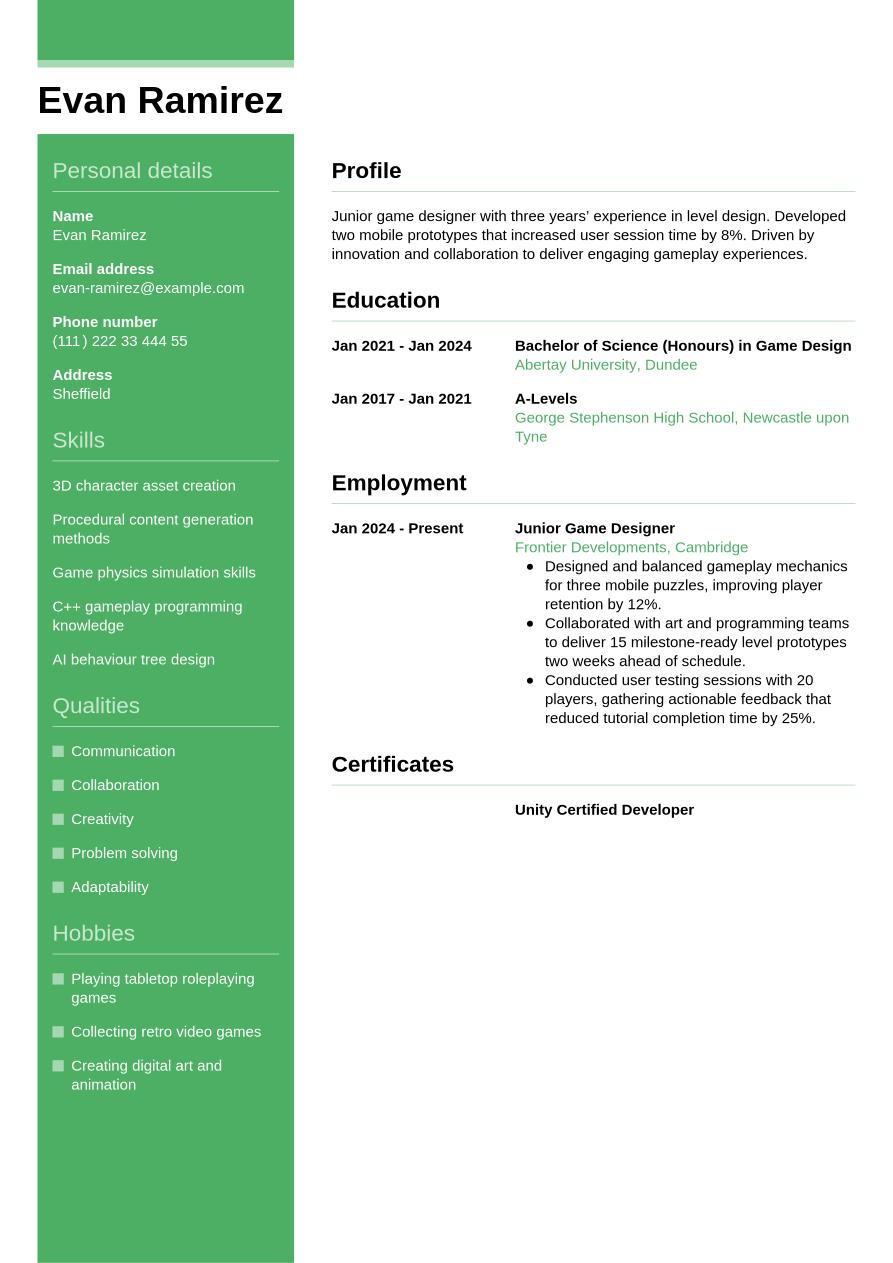
If you've got some relevant work experience, you'll want your CV to show the reader exactly how you've used your skills to good effect in the workplace up to now. Employers and recruiters will be drawn to your work experience for an indication of the impact you've had in previous roles. In this case, it's best to use a reverse-chronological CV format that places work experience as the main section under your header and CV summary. Mention your most recent and relevant employments and use bullet points under each job entry to show your skills and achievements, providing evidence in the form of data, figures and other metrics wherever possible.
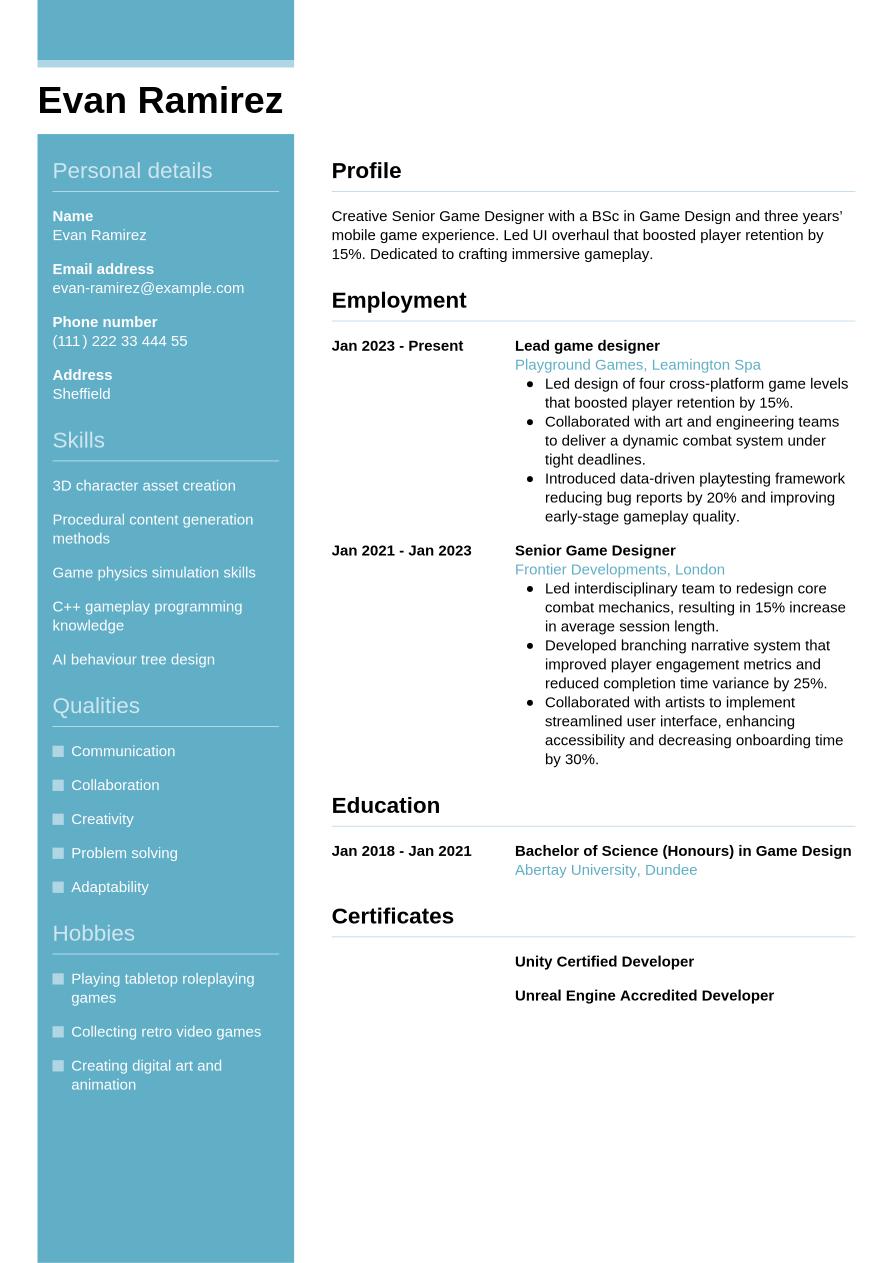
As a senior-level candidate, it's important to produce a CV that gives top billing to your wealth of relevant work experience. Employers will be expecting candidates to provide their expertise and reputation, and their ability to lead a team or organisation. Therefore, you'll want to create a detailed CV that follows the traditional, reverse-chronological format and showcase the depth of your experience and your career progression. You could also include professional memberships, publications, awards and key achievements to show your expertise.
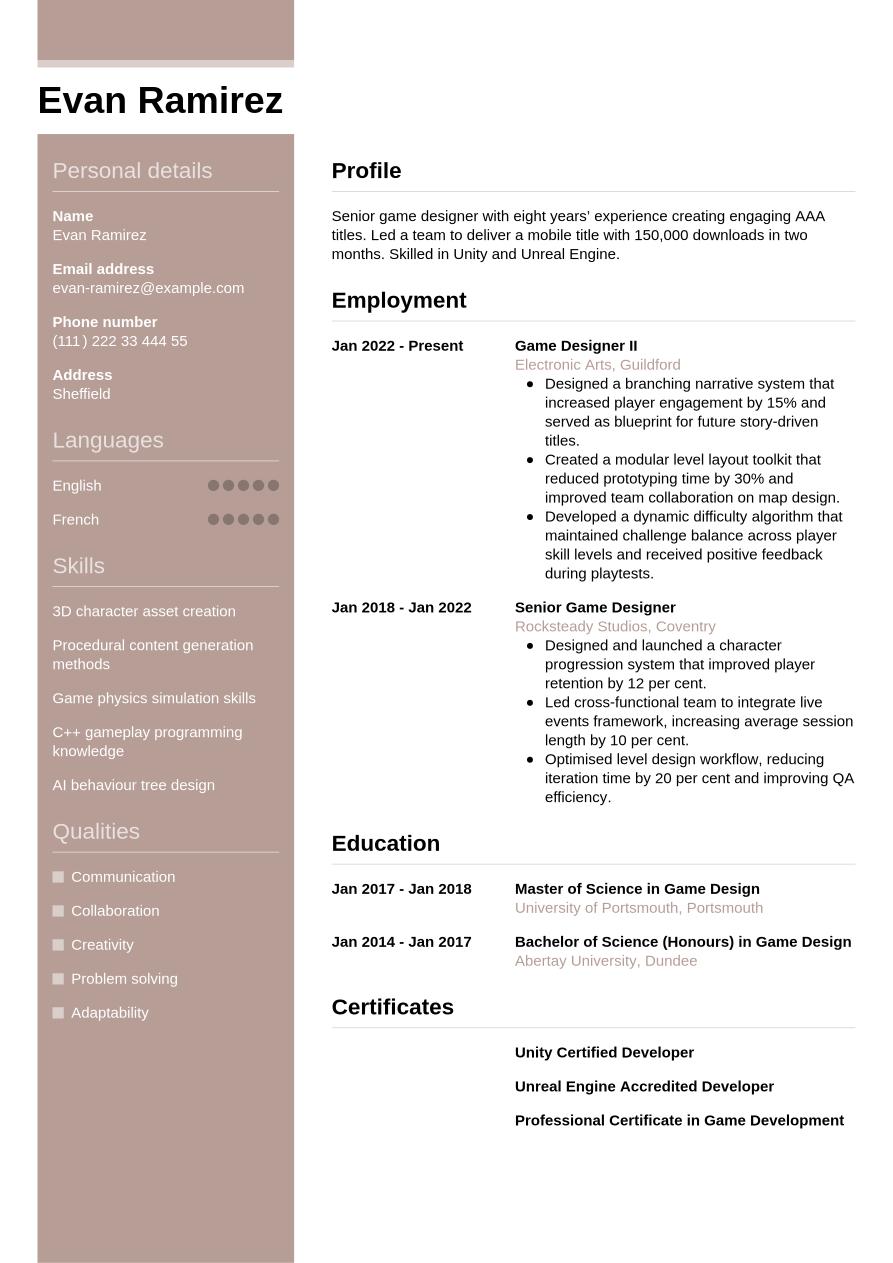
At the end of the day, though, a game design CV is just a way to tell the story of how you’ve grown in your career. Regardless of your experience level, you want that progression to feel seamless and easy to follow for recruiters. To help you get there, we’re going to walk through each part of the CV step-by-step, starting with the basics in your header and working our way through to your professional achievements.
CV Header
Start your game design CV with a header that features subtle, professional design elements and sets the tone for the document. Add your name, email address, phone number and location (your full address isn't normally needed). Additionally, listing your LinkedIn profile in your CV header can be valuable. It serves to provide more detailed information about your career journey, your qualifications and your industry standing, in an easily accessible way.
For jobs in the UK, a personal photo is usually not required on your CV. That, along with any other personal details such as age, gender, ethnicity and nationality, are generally discouraged under the terms of the Equality Act 2010, which aims to reduce and eliminate discriminatory practices, such as recruitment bias.
Evan Ramirez
evan-ramirez@example.com
(111) 222 33 444 55
Sheffield
linkedin․com/in/evan–ramirez–123
CV Summary
Under your header, write a brief CV summary or CV objective, outlining a few of your key skills, qualities and achievements. This short paragraph can help employers to quickly assess your suitability for the role, setting the tone for your game design CV. While the CV summary focuses on your key skills and achievements, a CV objective highlights your career ambitions, making it more suitable for junior candidates.
In your summary or objective, write up to three sentences outlining your key skills, unique personal qualities and career achievements or ambitions, taking care to always reflect the requirements listed in the job description.
An effective summary will include brief reference to one or two of your strongest skills, ensuring they reflect the skills listed in the job description. It's important to make your skills and qualities feel unique to you, and show how you've used them to positive effect in your career to date. Below you'll find a good example of how to write an effective game design CV summary. The example shows quantifiable achievements and well-structured sentences.
Best example:
Experienced game designer with five years’ experience, previously Senior Game Designer. Led development of two AAA titles generating £5m in revenue. Boosted player retention by 20% through UX improvements.
Unengaging example:
Dedicated game designer with a strong background in designing engaging experiences, skilled at collaborating with diverse teams and passionate about creating memorable gameplay through creativity and delivering high quality content.
Above is an example of CV summary that doesn't follow best practice, with some subtle shortcomings and failings. An ineffective summary might be vague or generic, failing to highlight specific personal qualities that help you stand out and failing to address the requirements specified in the job description. They might also lack firm evidence of your skills, and be structured with long, hard-to-read sentences.
Professional Experience
The work experience section of a CV is usually the most important part. Employers look for evidence of how you've developed and used your skills to good effect in your career to date, as an indication of your likely future performance. Always take the time to tailor this section, including keywords and phrases that match the job description. This will help employers to judge how strong a fit you are for the role, and how you might apply your skills for the benefit of the organisation.
Create a list of all your most relevant roles, going back up to 10 or 15 years if necessary. Include your job title, the name of the employer, its location and the dates you worked there. Include bullet points that explain how you put your skills to good use in each previous role.
What differentiates one CV work experience section from all the others is the use of action verbs and quantifiable evidence in your bullet points. It should showcase how your actions led to positive outcomes for the employer, and show a progression in your skills throughout your career. See below for an example of how to put the work experience section best practice into action:
Best example:
Senior Game Designer, January 2023 - Present
Silverleaf Studios, Bristol
- Designed and balanced over 50 unique game levels to improve player engagement and reduce churn by 12%.
- Collaborated with cross-functional teams to streamline asset pipeline, cutting production time by 20% while maintaining visual quality.
- Created a comprehensive tutorial system that decreased new player confusion, increasing tutorial completion rate from 65% to 85%.
Unengaging example:
Senior Game Designer, January 2023 - Present
Silverleaf Studios, Bristol
- Designed engaging gameplay experiences that enhanced overall user satisfaction.
- Collaborated with various teams to improve development workflows and foster better communication.
- Developed intuitive instructional materials to support player onboarding and learning.
Above is an example of what not to do with your game design CV. A poor work experience section might look more like a generic list of responsibilities rather than an account of how you've used your skills to positive effect in previous roles. It might also include old or irrelevant job entries and lack tailoring to the job description.
Portfolio
In some cases, it's a good idea to include a section in your CV for a portfolio or examples of your previous work.
Portfolios are most common for creative roles or positions with an emphasis on visual, aesthetic work, but you can actually include any type of work in a portfolio, as long as you can showcase it online. If you choose to add work samples to your CV, you could either add a link to a portfolio, or separate links to examples of completed projects. If adding a portfolio link, you could do so either in its own section, or in your CV header. If adding separate examples, you could include these are links to a company website, your LinkedIn profile or any other place where your work is hosted.
Education
Your education section should showcase your most recent and highest qualifications, paying particular attention to anything that's specifically required for the role.
Game designer roles typically require candidates to have a relevant university degree, and you'll want to showcase this in your CV to confirm your eligibility. Add your Bachelor of Science (Honours) in Game Design or another related degree that makes you an eligible candidate for the position, in your CV. If you have any other degrees or qualifications that highlight C++ gameplay programming knowledge, AI behaviour tree design or your most relevant skills, you could also add these.
Creating the education section of your CV means selecting the most relevant and highest qualifications, and listing them in reverse-chronological order, starting with your most recent achievements and working back from there. For each entry into your education section, add the qualification name and level, the institution or awarding body, its location and your dates of study or graduation. For extra emphasis on your education section, include bullet points showcasing projects you worked on, modules you studied, awards you won or societies you participated in, if they help you to prove you're a suitable candidate.
Specialist licences or certifications can also be a valuable addition to your CV's education section. If these are essential for the job and are referenced in the job description, it's a good idea to include them here rather than further down your CV. Include any expiration or renewal dates for certifications, if applicable.
Bachelor of Science in Game Design, 2018 - 2021
Abertay University, Dundee
Skills
In your CV skills section, include a combination of the key hard and soft skills you possess, that make you a suitable candidate for the position. Make sure your skills list reflects the requirements specified in the job description, and include a few skills that are unique to you, and help set you apart from the pack. For a game design CV, it's valuable to highlight essential skills from your skill set, such as adaptability and 3D character asset creation, to grab the attention of hiring managers and show you're qualified for the game designer position.
Hard Skills
Hard skills refer to the technical and specialist skills required for the everyday duties of the job. They might include specialist knowledge, or the use of certain software and equipment. You can gain these skills through study, training or industry experience, and they might require a licence or certification. For game designer roles, key hard skills you've gained, such as 3D character asset creation, and game physics simulation skills, are typically among the most critical for the job. Firstly, check the job description, then add four or five key hard skills in your CV that help the employer to decide if you're a good fit for the role.
The best hard skills section would be based around skills listed as 'essential' or 'required' in the job description. To give yourself the best chance of success, you'll want your strongest skills to match closely with those most desired by the employer, and your hard skills list should reflect this.
Review the examples below to understand which skills are often added to the hard skills section of a game design CV.
- 3D character asset creation
- Procedural content generation methods
- Game physics simulation skills
Soft Skills
Soft skills are distinct from hard skills and tend to reflect your inherent personal qualities and strengths. These are often more transferable to different roles, and help the reader understand your working style, and your likely fit to the team and the organisational culture. The world of work is evolving at a rapid pace, changing the types of hard skills required for many roles, and therefore rendering soft and transferable skills more valuable than ever. Soft skills are also extremely valuable for junior and entry-level roles, where candidates aren't necessarily expected to have a wealth of relevant work experience.
As with your game design CV hard skills list, review the job description to learn the key soft skills for the role. Include the best soft skills that you can provide evidence for throughout your CV. Aim to add up to five soft and transferable skills, including a mix of the most essential skills from the job description, together with some skills that make you stand out as a unique and compelling candidate.
Here are typical soft skills candidates include in a game design CV.
- Communication
- Collaboration
- Creativity
Expert Tip:
A well-formatted CV using fonts like Calibri or Times New Roman, with clear spacing and bullet points, improves recruiter engagement, notes the National Careers Service. (1)
Certifications and Licences
Depending on the role you're applying for, and the type of qualifications you have, you might want to include a separate section for certifications, in addition to the education section. It's often beneficial to include it as it can illustrate a positive attitude towards self-improvement and professional development, as well as a proactive mindset. All these qualities will appeal to most employers and decision-makers. In addition, the certifications section can be a valuable addition to your game design CV if you're applying for a role that cites certain certifications or licences as a necessity in the job description. These might include roles where the use of specialist software or equipment forms part of your everyday duties.
See below for a list of example certifications and licences you might add to your CV for game designer roles:
- Unity Certified Developer, 2023
- Unreal Engine Accredited Developer, 2023
- Professional Certificate in Game Development, 2023
Languages
If you speak any additional languages, you might want to consider adding a languages section to your CV. Even if languages aren't a requirement of the job description, speaking a foreign language can reflect well on you as a candidate, and correlate with other soft skills that can increase your employability. In this section, include any foreign languages you speak to a standard that could be useful in the world of work, with an indication of your proficiency level.
There are a few acceptable ways of citing your foreign language proficiency levels. The simplest way is to assign a basic descriptive word to indicate your skills, such as:
- English: Fluent
- Spanish: Intermediate
You could adopt the Common European Framework of Reference (CEFR), as this provides standardised levels to describe your competence, as follows:
- A1: Beginner
- A2: Elementary
- B1: Intermediate
- B2: Upper intermediate
- C1: Advanced
- C2: Proficiency
Optional Sections
Including optional sections in addition to the core elements of your game design CV can help you provide further evidence of your suitability for the role. Consider adding optional sections if you're unable to show all the necessary skills for the job through work experience, but could show them through extracurricular activities and other areas of life. This could be especially relevant if you're a junior candidate, or if you're changing careers.
If you're curious about other ways to make your CV more effective, our career resources will help you strengthen your application.
Hobbies and Interests
Your hobbies and interests can be a useful way of showcasing additional skills that are relevant to the job description, but that you haven't been able to prove via your work experience. In addition, hobbies and interests can showcase your personality, helping to differentiate you from other candidates. However, hobbies and interests can only add value to your CV if they provide evidence of skills and experience that you can use in the role you're applying for. As such, only add hobbies as a way of filling gaps in the skills you've developed or used through work experience.
Awards and Achievements
Compiling your key career achievements into a single list is an effective way of making your CV more readable at a glance. In your list, add any awards you've won, industry recognition or key career milestones that tell a story about your suitability for the role and place you ahead of other candidates.
Volunteer Roles
Another valuable optional section for your CV is volunteering. This section can offer a great alternative showcase for your skills and experience, if you don't have much relevant work experience. Consider adding this section if you have any relevant unpaid experience, either as a junior candidate or a career changer. For this section, use a similar structure to your work experience section.
List your job title or a description of the role, the organisation name, its location and the dates you occupied the role. Use bullet points to show employers how you put your skills to use, and any positive achievements from your time in the role.
References
References aren't usually required on a UK CV, so leave them out in most cases. However, it's always worth checking the job advert and being ready to include them if requested. If references are needed, opt for two or three, and always make sure you approach them for permission before including them.
Add their name, their job title, the organisation they work for and their contact details. Alternatively, if references aren't required you could simply add a line to your CV confirming you can provide them when needed, such as 'references are available upon request'.
Data Insight:
More than 80% of HR executives say the design of a CV has an impact on the way they assess an application. (2)
Best action verbs for an engaging game design CV
Adding strong action verbs to the bullet points in your CV's work experience section is a great way to focus on the key skills required for the job, while showing the impact you've made. Start each bullet point with an action word that reflects the job description, so the reader can easily identify your best qualities. Remember to always back up the action verbs you use with quantifiable evidence that shows the impact you made. You can use past tense for any action verbs describing previous jobs, with present tense for action verbs to describe your current role and responsibilities.
- Analyse
- Conceptualise
- Design
- Prototype
- Iterate
- Balance
- Script
- Implement
- Optimise
- Collaborate
Game design CV sample
Now that you're aware of the key steps to creating a winning game design CV, you can review a complete example to see how a final CV looks:
Sheffield
•
evan-ramirez@example.com
•
(111) 222 33 444 55
•
linkedin․com/in/evan–ramirez–123
Creative Senior Game Designer with a BSc in Game Design and three years’ mobile game experience. Led UI overhaul that boosted player retention by 15%. Dedicated to crafting immersive gameplay.
Lead game designer
2023
-2026
Playground Games (Leamington Spa)
- Led design of four cross-platform game levels that boosted player retention by 15%.
- Collaborated with art and engineering teams to deliver a dynamic combat system under tight deadlines.
- Introduced data-driven playtesting framework reducing bug reports by 20% and improving early-stage gameplay quality.
Bachelor of Science (Honours) in Game Design
2018
-2021
Abertay University (Dundee)
3D character asset creation
Procedural content generation methods
Game physics simulation skills
Communication
Collaboration
Creativity
Unity Certified Developer
Unreal Engine Accredited Developer
English - Native
French - Advanced
If you're not sure what your one-page, finalised CV design might look like, check out our examples.
Key tips and mistakes to avoid for your game design CV
Tips to follow
- List your qualifications in a dedicated education section, with any outstanding grades or awards, if applicable, to help your application stand out.
- Quantify your achievements as much as possible, offering evidence to support your claims, such as key performance metrics, other data or feedback you received.
- Keep your CV as concise as possible, aiming for a length of one side of A4 for junior roles, or two for more experienced candidates (longer than two sides is only necessary for senior or academic positions).
- Use reverse-chronological order to list your work experience, starting with your current or most recent position and working back through relevant roles.
- Start with an engaging CV summary or objective that provides a clear synopsis of your career and highlights your best qualities and achievements.
Common mistakes to avoid
- Don't forget to review your contact information to make sure it's current, and update your LinkedIn profile with your latest career details.
- Don't crowd your CV with unnecessary extra details, but stick to the key facts and present them in a clear, readable fashion.
- Don't use passive voice, such as 'the target was achieved', but instead use strong action verbs to show the value you added to previous roles.
- Don't include personal information, for example your age, gender, marital status or a personal photo (unless necessary for the role).
- Don't include false or misleading statements or lie about events in your career to date – it can be illegal and is likely to backfire.
Guide to CV ATS optimisation
Applicant tracking systems (ATS) are now commonly used by employers, to help them manage the recruitment process. One of the main functions of ATS software is the scanning and ranking of CVs according to their likely suitability for the role. This saves recruiters and hiring managers the time and effort of reading every CV in detail. With many vacancies often receiving hundreds of applications, ATS software can really relieve the burden on hiring teams and free them up to focus only on the most suitable candidates.
With ATS apps becoming more prominent, it's essential for candidates to optimise their CVs to increase their chances of passing the initial screening stage. You can read a list of the top tips for ATS optimisation below:
- Include keywords and phrases from the job description that are easy for ATS apps to identify, and help make you appear a strong fit for the role.
- Use clear headings that reflect standard CV conventions, such as 'work experience', 'education' and 'skills'.
- Choose a standard CV layout that avoids the use of any special design elements that might make your CV less compatible with ATS scanning software.
- Select a font that increases the readability of your CV, such as popular serif and sans serif fonts, between the sizes of 10 and 12 for main text and 14 and 16 for headings.
- Use bullet points instead of writing full sentences, to reduce the overall length of your CV, make it more keyword-dense and help ATS apps to scan it more easily.
It might seem like there's a lot to remember when it comes to making an ATS-compatible CV, but taking care with this stage can really improve your chances of success. To make the process as easy as possible, use one of our expert-designed, ATS-optimised CV templates and boost your chances of success.
If you want to impress recruiters with your CV, use Jobseeker's ready-made CV templates, which are HR-approved for maximum chances of success.
Game design CV FAQs
Is it a good idea to add a photo to my CV?
Adding a personal photo to your CV might seem like a useful way of adding some colour to the design to help it stand out from the crowd.
On the contrary though, in the UK it's generally not a good idea to include a personal photo on your CV. This is because it could introduce bias into the recruitment process, whether conscious or unconscious.
Sometimes you may find employers request a personal photo on your CV in the job advert. This tends to be for roles where your appearance plays an important role, such as for acting or modelling jobs. If you're not sure, always check the job advert and unless mentioned, avoid adding a photo.
How do I write a game designer cover letter to accompany my CV?
A well-crafted cover letter can be just as vital to your chances of success as your CV. To write a cover letter that makes a positive impression on the reader, adopt a formal, professional layout and use a cover letter template that matches the design of your CV.
A typical cover letter layout includes three key paragraphs of written content. Firstly, the opening paragraph includes an introduction to yourself and confirms the role you're applying for, as well as outlining your motivation for applying. Secondly, you'll want to detail some of your key skills and achievements, without repeating your CV. Close your cover letter by expressing your gratitude and enthusiasm, and leaving a call to action that encourages the reader to make contact with you.
Alternatively, if you're applying for the role via email, you may want to send a less formal cover note. This simply includes a brief introduction, confirming the role you're applying for and directing the reader to the relevant attached documents, rather than following the traditional professional letter conventions. Remember to include your contact details in your email, so the employer can follow up with you if necessary.
Jobseeker's cover letter examples for game designer and digital media industry roles provide useful tips and guidance from HR experts on how to write a compelling cover letter.
How do I write an engaging game design CV without experience?
Even without relevant work experience, it's possible to write a game design CV that impresses employers.
Consider a structure that emphasises your skills rather than your work experience, such as a functional, or skills-based, CV format. In this CV layout, the skills and education sections are placed above the work experience section.
For junior positions, it's important to emphasise your soft and transferable skills. Employers will be looking less for game designer candidates with a depth of experience, and more for candidates who can show they have the soft skills, such as ability to adapt and learn, to thrive in a new role and environment.
How do I write a headline for a game design CV?
A well-crafted CV headline can draw the reader in, providing a hint of your suitability for the role, while increasing the likelihood of passing the ATS screening stage.
Aim to write a short, concise sentence that mentions the job title and focuses on one of your best skills or qualities.
The most impactful CV headlines focus on the most critical keywords and phrases from the job description, helping the reader to make a snap judgement on whether to read your CV in more depth, while increasing the likelihood of passing the ATS stage.
The examples below show best practice for writing a CV headline at different experience levels:
- Ambitious Junior Video Game Designer
- Innovative Game Designer Driving Engagement
- Senior Game Designer Leading Innovation
A compelling cover letter is an essential part of a successful job application. Ensure your cover letter matches the style and design of your CV with our professional cover letter templates.
Key takeaways for your game design CV
For the best chance of impressing employers, always tailor your CV for every application and include keywords and phrases that reflect the job description. Choose the most fitting CV format for your experience level, and focus on showcasing how you've developed the necessary skills for the role, and used them to positive effect in previous roles.
Finally, building your CV using Jobseeker's HR-approved CV templates can help to catch the eye of recruiters and hiring managers, making your application stand out and giving you the best chance of gaining your dream job.
References:
- National Careers Service, How to write a CV
- Jobseeker, Hiring Trends

Impress employers with your CV
Step-by-step guidance to create a professional CV in minutes.