Data Protection CV Example
If you're hoping to launch a career in the information technology industry, including data protection specialist roles, it's essential to write a CV that shows your skills and achievements in the best light. It's the mention of key responsibilities from your career, such as ensuring GDPR compliance and updating data protection policies that will show employers you're a good fit for the role. In this article, you'll discover all the advice you'll need for writing a data protection CV that sets you apart from the crowd and boosts your chances of success.
A data protection CV that includes all the necessary details and is tailored carefully to the job description puts you in a great position. It can help you pass the ATS screening stage, make a strong impression with the employer and reach the latter stages of the recruitment process. Now let’s explore the main sections of a CV and see how to structure each one for maximum impact.
Key sections of a data protection CV
How you approach writing your data protection CV will vary according to your experience, your level and the details outlined in the job description.
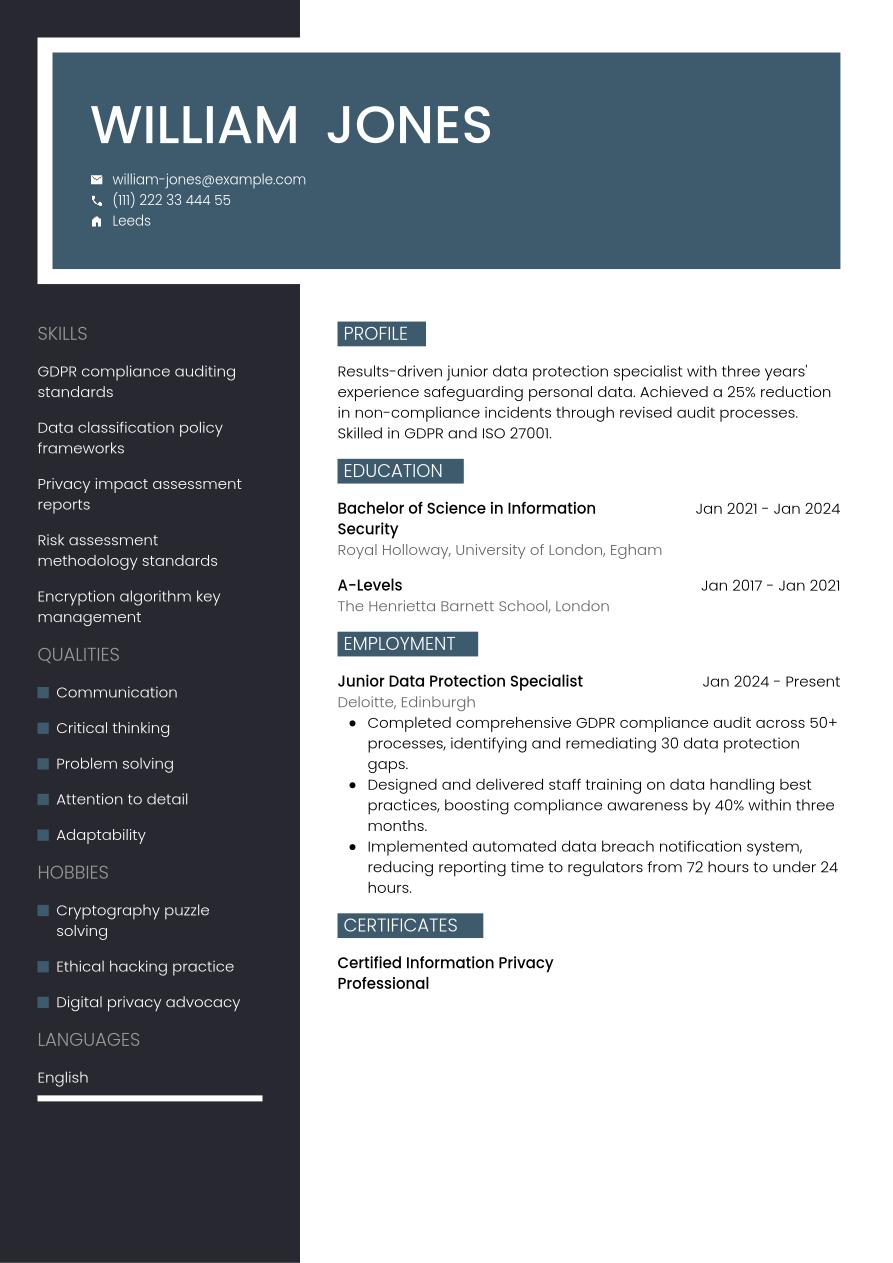
If you're just starting out in your career, it's likely you won't have much work experience to showcase on your CV. As such, you'll want to flesh out your skills and achievements through other sections of your CV. As such, it's worth considering using a functional, or skills-based, CV format. This structure places the skills and education sections above your work experience in the order of sections. Optional sections such as volunteering, internships and hobbies and interests can also help you show you have the necessary skills.
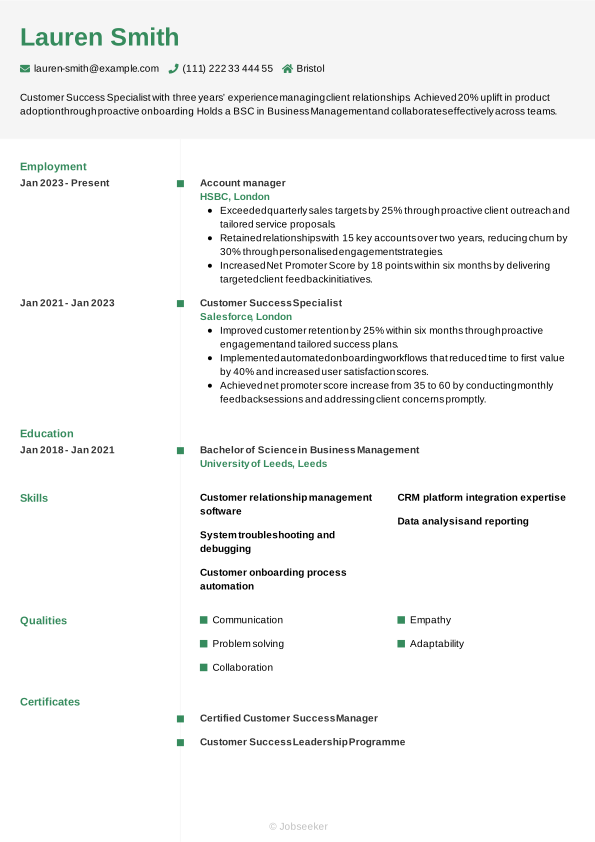
If you're a bit further down the road with your career journey, you'll want your CV to be focused mainly on your experience. Hiring managers will be keen to see examples and evidence of how you've used relevant skills to create positive results and outcomes for previous employers, as an indication of your likely future performance. In this case, a reverse-chronological CV format is the most likely to make a positive impact. List the most recent and relevant work experience from your career and provide evidence to support your claims in the form of data, figures or other quantifiable results.
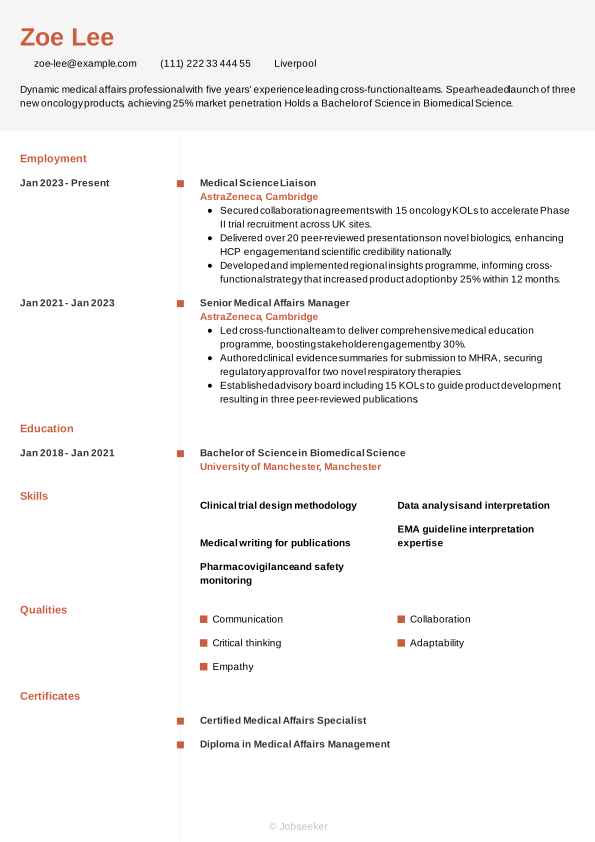
As an executive or senior-level candidate, it's critical to focus primarily on work experience in your CV. This is because employers will be expecting candidates to have a wealth of relevant experience, and to have reached a prominent position within the industry. Therefore, a detailed reverse-chronological CV is typically the best way to go for senior applications. You might wish to offer a more complete career history to show your progression through your industry, and to highlight the upward trajectory of your skills and achievements. You may also wish to add awards, professional memberships, publications and other key achievements, to demonstrate that you're among the most qualified and decorated candidates in your sector.
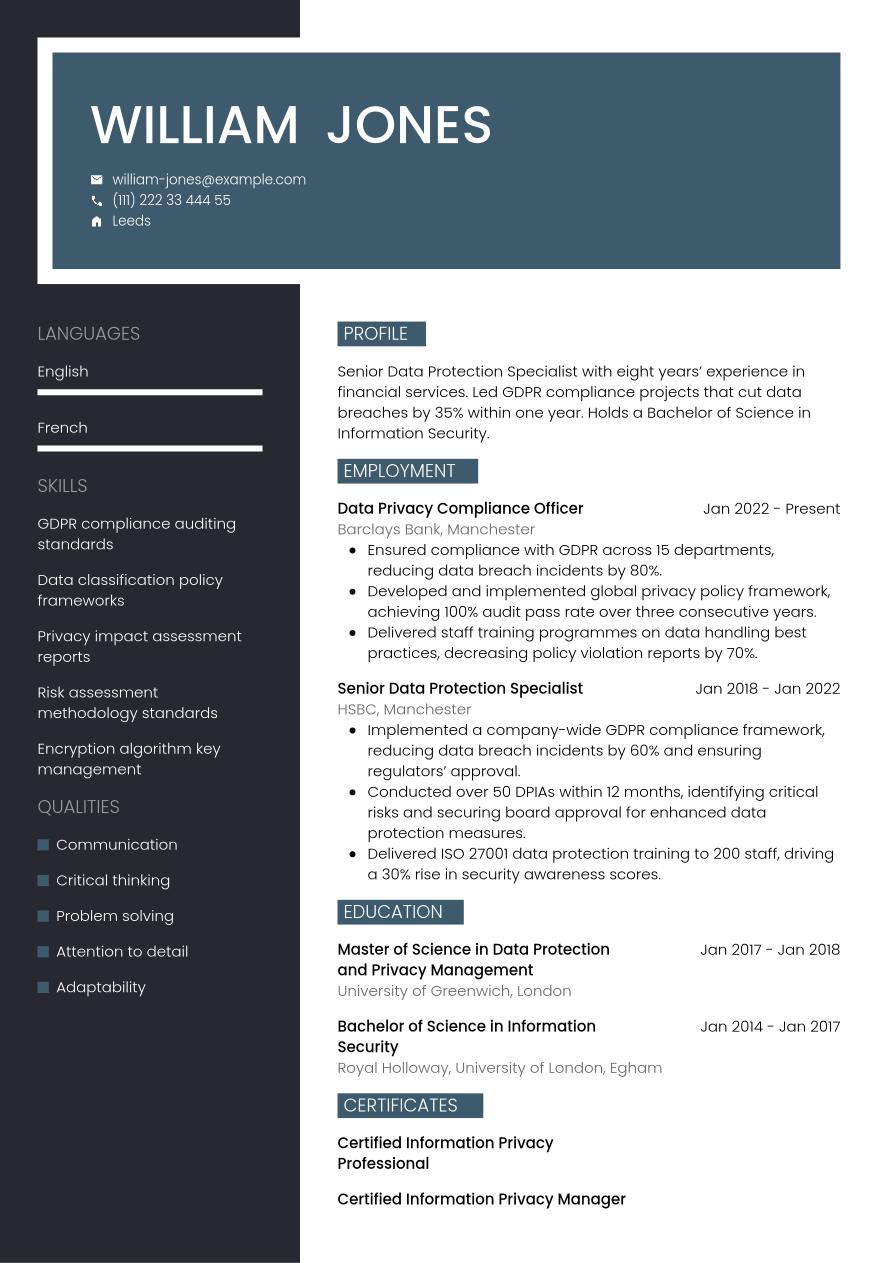
However, no matter where you are in your career, a data protection CV must present a clear, compelling narrative of your professional journey. To help you build that story, we’ll now break down the document piece-by-piece—from the initial contact header to your most significant career milestones.
CV Header
Start your data protection CV with a header that features subtle, professional design elements and sets the tone for the document. Add your name, email address, phone number and location (your full address isn't normally needed). Additionally, listing your LinkedIn profile in your CV header can be valuable. It serves to provide more detailed information about your career journey, your qualifications and your industry standing, in an easily accessible way.
For UK jobs, it's generally not a good idea to add a photo or any other personal details beyond your basic contact information. This means leaving off details such as your age, gender, ethnicity and nationality, as these can introduce bias to the selection process and complications related to the Equality Act 2010.
William Jones
william-jones@example.com
(111) 222 33 444 55
Leeds
linkedin․com/in/william–jones–123
CV Summary or Objective
Under your header, write a brief CV summary or CV objective, outlining a few of your key skills, qualities and achievements. This short paragraph can help employers to quickly assess your suitability for the role, setting the tone for your data protection CV. As an alternative to the CV summary, you might wish to write a CV objective. This serves a similar purpose, but instead of focusing on your experience, it highlights you career ambitions and objectives.
Whether you choose to write a summary or an objective, aim for a length of two or three sentences, introducing your key skills, unique qualities and key achievements or ambitions, making sure they reflect what's included in the job description.
A good CV summary would typically focus on a couple of key skills that match the job description, demonstrating how you've used them to good effect in previous roles. It's important to focus on your unique qualities and provide a preview of how they've made an impact in your career to date, which you'll unpack later in the document. Here's an example of an effective data protection CV summary, with evidence of your impact and neat, well-structured sentences:
Good example:
Accomplished data protection specialist with five years’ experience as Data Protection Officer, MSc in Data Protection and Privacy Management. Led GDPR compliance across 12 teams. Reduced data breaches by 40%.
Weak example:
Accomplished data protection specialist with extensive experience in managing privacy programmes and advising stakeholders on compliance frameworks, skilled in policy development and strategic risk assessment, and committed to integrity.
See above for an example of an ineffective summary, with subtle differences leading to a reduction of impact. Common mistakes that lead to an ineffective summary include a lack of quantifiable experience, vague statements or failing to tailor your summary to the job description. Long, rambling sentences that lack structure can also make your summary harder to read.
Professional Experience
A CV's work experience section is usually its most important element. Employers tend to value the work experience section, as it shows evidence of how you've put your relevant skills to good use in your career to date. Ensure you tailor your work experience section to reflect the job description and show you meet all the essential requirements. This means picking out skills and qualities as keywords and reflecting them back in your work experience bullet points, so employers can assess your likely fit for the role.
List only relevant previous jobs, and add your job title, the name of the employer, its location and your dates of employment. Under this, write several bullet points showing employers how your skills and key qualities contributed to positive outcomes.
What differentiates an excellent work experience section from an average one is the use of action verbs and quantifiable evidence, showing how your actions led directly to positive results in previous roles. You'll also want to show how you've added relevant skills and increased your impact throughout your career progression. Take a look at an example of a strong data protection CV work experience section below.
Good example:
Data Protection Officer, January 2023 - Present
Guardian Data Services Ltd, Manchester
- Implemented GDPR compliance programme across five business units, reducing data breach incidents by 30% within 12 months.
- Developed and delivered company-wide data protection training, increasing staff compliance awareness score from 65% to 92%.
- Conducted comprehensive risk assessments and updated privacy policies, ensuring regulatory alignment and preventing fines exceeding £500k.
Weak example:
Data Protection Officer, January 2023 - Present
Guardian Data Services Ltd, Manchester
- Designed data governance frameworks to ensure compliance across varied organisational functions and stakeholders.
- Delivered privacy awareness sessions for employees at multiple levels to reinforce best practice principles organisation-wide.
- Developed risk assessment guidelines in collaboration with internal teams for consistent handling of sensitive information.
Above is an example of what not to do with your data protection CV. A less-effective work experience section could focus too much on irrelevant or out-of-date roles, or include generic information about your responsibilities that fails to show the impact you made. It might lack tailoring to the job description or fail to provide evidence to support the claims made in the bullet points.
Education and Qualifications
With your education section, you'll draw attention to your most recent and highest qualifications, particularly emphasising any qualifications listed as a requirement in the job description.
A degree is typically a strict requirement for data protection specialist jobs, and as such, you'll want to showcase yours in your CV. If you have a Bachelor of Science in Information Security or another similar, relevant degree that confirms your eligibility for the position, include it in your CV. You might also wish to add other degrees or qualifications that highlight your strongest skills, such as risk assessment methodology standards or privacy impact assessment reports.
When listing your qualifications in your education section, select only the most suitable qualifications and list them in reverse-chronological order, starting with the most recent and working backwards. For each entry, include the name and level of the degree or certification, the institution, its location and your graduation date or dates of study. To emphasise your qualifications and achievements, you might wish to include one or two bullet points, which highlight things like specialist areas of study, projects, dissertations or society memberships.
It may also be useful for you to add any specialist industry qualifications, certifications or licences that you might require for the role. If you choose to add these, remember also to add an expiration date, if the licence requires renewal in the future.
Bachelor of Science in Information Security, 2018 - 2021
Queen Mary University of London, London
Skills
Your CV's skills section CV's skills section is a great place to showcase some of the key skills necessary for the role. Check the job description to understand which skills are most essential, and provide a combination of hard and soft skills, reserving space to include some unique qualities that can help you to stand out from the competition. For a data protection CV, you'll want to focus on the most relevant skills for the role that match your skill set, including problem solving and privacy impact assessment reports, to catch the reader's attention and show you're qualified for the data protection specialist position.
Hard Skills
Hard skills and technical skills are specialist skills that are essential for carrying out the main responsibilities of the role. You might acquire hard skills through study, or through on-the-job training, and some hard skills may require a certification or licence. For data protection specialist roles, hard skills from your career experience, such as risk assessment methodology standards, and encryption algorithm key management tend to be prioritised by employers and recruiters. Firstly, check the job description, then add four or five key hard skills in your CV that help the employer to decide if you're a good fit for the role.
The best hard skills to include are typically listed as 'essential' or 'required' in the job description. Aim for a mix of the most desirable skills, together with those you have the highest proficiency in. For the best chance of success, you'll want your strongest skills to match closely with those most desired by the employer.
Review the examples below to understand which skills are often added to the hard skills section of a data protection CV.
- GDPR compliance auditing standards
- Data classification policy frameworks
- Privacy impact assessment reports
Soft Skills
Soft skills are the personal strengths and qualities that show employers how well you'll fit into the role and complement other members of the team. Soft skills tend to be more transferable and applicable to different roles than hard and technical skills. As a result of rapid technological changes to modern ways of working, soft skills are becoming more and more valuable to employers. Soft skills can also be particularly useful for junior or entry-level roles where candidates haven't had the time or career experience to develop hard skills and notable achievements.
Just like the hard skills section, begin by reviewing the job description to learn the most desirable soft skills to include in your data protection CV. Only add soft skills that you can provide evidence for throughout your CV. Craft a list of up to five key soft and transferable skills that reflect the job description, while also including some of your strongest, most unique skills to stand out from the crowd.
The section below provides an overview of soft skills often highlighted in a data protection CV.
- Communication
- Critical thinking
- Problem solving
Languages
Including a section on language skills can be beneficial, if you speak at least one language to a reasonable level of competency, in addition to your mother tongue. This is true even if language skills aren't a requirement for the role, as foreign language abilities often correlate to other valuable soft skills. In the languages section, list the languages you speak to at least a reasonable level, with an indicator of your competency level.
There are a few acceptable ways of citing your foreign language proficiency levels. The simplest way is to assign a basic descriptive word to indicate your skills, such as:
- English: Fluent
- Spanish: Intermediate
Alternatively, use an internationally recognised framework for languages, such as the Common European Framework of Reference (CEFR). This gives your language skills a standardised competence indicator, as follows:
- A1: Beginner
- A2: Elementary
- B1: Intermediate
- B2: Upper intermediate
- C1: Advanced
- C2: Proficiency
Certifications, Training and Licences
Depending on the role you're applying for, and the type of qualifications you have, you might want to include a separate section for certifications, in addition to the education section. If you've been proactive in pursuing professional development opportunities throughout your career, it's worth showcasing them. Not only do they make you more qualified, they also show a proactive and motivated mindset. Furthermore, if there are any necessary certifications or licences for the job, this CV section takes on even more importance. If you're applying for a technical role or a position that involves the use of specialist software or equipment, these might make it more necessary to include a section showcasing your training.
Take a look at this list of example certifications and licences for data protection specialist candidates:
- Certified Information Privacy Professional, 2023
- Certified Information Privacy Manager, 2023
- Certified Data Privacy Solutions Engineer, 2023
Expert Tip:
With recruiters scanning CVs in less than nine seconds, Barnet Council highlights the importance of a short and compelling personal summary. (1)
Additional Information
Adding optional sections to the end of your data protection CV is a good way of showing you have the necessary skills for the job. If you're unable to show you have all the necessary skills for the job through your work experience, optional sections can be a valid way of providing further evidence of your suitability, to give you the chance of gaining an interview. If you're an entry-level candidate or a career changer, optional sections can be particularly valuable.
Explore our career resources for practical strategies to make your CV stand out and move you closer to landing an interview.
Hobbies and Interests
Hobbies and interests are a legitimate way to showcase your skills, if you have any hobbies relevant to the role. Additionally, this section gives you the chance to show employers different facets of your personality and interests beyond work, which can help them to differentiate you from other applicants. However, hobbies and interests can only add value to your CV if they provide evidence of skills and experience that you can use in the role you're applying for. As such, only add hobbies as a way of filling gaps in the skills you've developed or used through work experience.
Achievements
Listing your key career achievements in a distinct section can be an effective way of drawing attention to them. In your list, add any awards you've won, industry recognition or key career milestones that tell a story about your suitability for the role and place you ahead of other candidates.
Volunteering
Listing volunteer roles is another effective way of showing employers your skills and experience. If you're lacking work experience, either as a junior candidate or a career changer, adding volunteering activities gives you a chance to show how you've put your skills into action. Your volunteering section should follow much the same structure as your work experience section.
Add a description of the volunteer role or a job title if you had one, the name of the organisation, its location and the start and end date of your volunteering. List bullet points that show how you put relevant skills to good use to create positive results for the organisation.
Data Insight:
When reading a CV, more than 4 in 5 hiring managers go straight to the work experience section. (2)
Most effective action verbs for a data protection CV
Adding strong action verbs to the bullet points in your CV's work experience section is a great way to focus on the key skills required for the job, while showing the impact you've made. Start each bullet point with an action word that reflects the job description, so the reader can easily identify your best qualities. You'll also want to back up any action verbs you're using with quantifiable evidence that showcases the value you added for previous employers. Use the past tense for action verbs that describe previous roles, with the present tense for any current responsibilities and achievements.
- Implement
- Manage
- Ensure
- Develop
- Monitor
- Audit
- Assess
- Maintain
- Review
- Advise
Data protection CV example
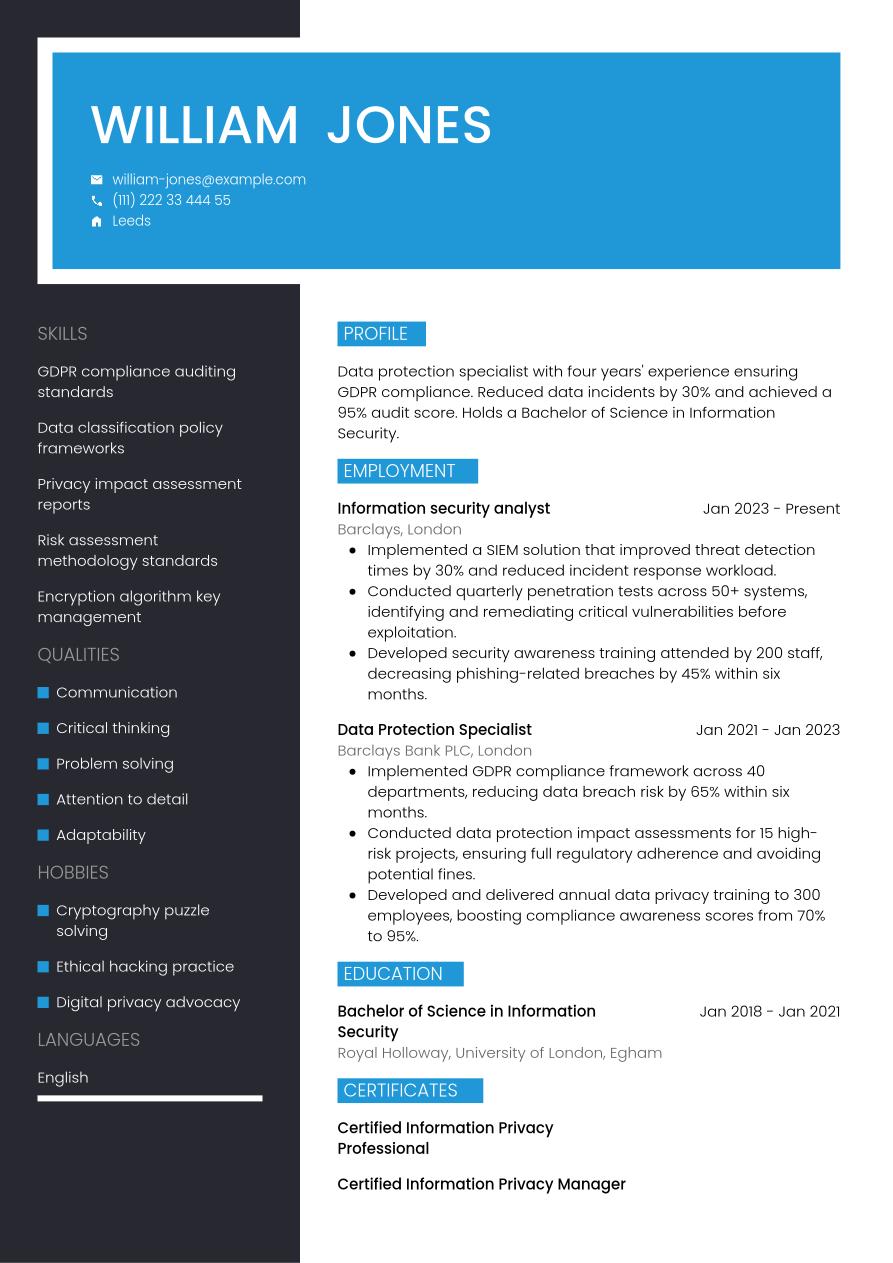
Now we've shown you everything that needs to go into your data protection CV, we can take a look at how it comes together in its final form in the following example:
Leeds
•
william-jones@example.com
•
(111) 222 33 444 55
•
linkedin․com/in/william–jones–123
Data protection specialist with four years' experience ensuring GDPR compliance. Reduced data incidents by 30% and achieved a 95% audit score. Holds a Bachelor of Science in Information Security.
Information security analyst
2023
-2026
Barclays (London)
- Implemented a SIEM solution that improved threat detection times by 30% and reduced incident response workload.
- Conducted quarterly penetration tests across 50+ systems, identifying and remediating critical vulnerabilities before exploitation.
- Developed security awareness training attended by 200 staff, decreasing phishing-related breaches by 45% within six months.
Bachelor of Science in Information Security
2018
-2021
Royal Holloway, University of London (Egham)
GDPR compliance auditing standards
Data classification policy frameworks
Privacy impact assessment reports
Communication
Critical thinking
Problem solving
Certified Information Privacy Professional
Certified Information Privacy Manager
English - Native
French - Advanced
To get an idea of how your completed, one-page CV will look once its been fully designed, see our selection of CV examples.
Dos and don'ts for a winning data protection CV
Tips to follow
- Add a dedicated skills section to showcase your strongest hard and soft skills, ensuring they reflect the skills listed in the job description.
- Use action verbs to showcase how you put your strongest skills to good use in previous roles, and demonstrate the impact they had.
- Keep it concise, aiming for a length of one side of A4 for junior candidates, or two for more experienced applicants (only go longer for senior, executive-level roles).
- Proofread your CV carefully before sending, as any spelling or grammatical errors could seriously undermine your chances of success.
- Quantify your achievements by offering evidence that supports your claims throughout your CV wherever possible, such as key metrics, awards, and positive feedback.
Common mistakes to avoid
- Don't use an unsuitable email address with informal language or nicknames, but instead opt for a professional email address combining elements of your name, initials or profession.
- Don't swamp your CV with industry jargon and acronyms that may confuse the reader, when simpler, clearer language can do the job.
- Don't crowd your CV with unnecessary extra details, but stick to the key facts and present them in a clear, readable fashion.
- Don't use overly fussy or elaborate formatting and layouts that can make your CV more difficult to read or confound ATS scanning software.
- Don't forget to check your contact details before sending your CV, ensuring they're current and updating your LinkedIn profile with your latest career information.
A well-written cover letter is an essential element of any job application. Take a look at our HR-approved cover letter templates to find a design and layout that matches your CV.
Guide to making your CV ATS compatible
Applicant tracking systems (ATS) are becoming more and more integral to the recruitment process for many employers. These systems ease the burden of the recruitment process by performing various tasks, including scanning and ranking CVs based on their likely fit to the job description. This task can relieve some of the strain on hiring managers through the recruitment process, which can become very resource-intensive, with roles often eliciting hundreds of applications.
With ATS apps becoming more prominent, it's essential for candidates to optimise their CVs to increase their chances of passing the initial screening stage. You can read a list of the top tips for ATS optimisation below:
- Include keywords and phrases that match the job description, making it easy for ATS apps to identify a strong fit for the role.
- Use standard CV headings that clearly identify each section, such as 'work experience', 'education' and 'skills'.
- Choose a standard CV layout, avoiding special design elements such as text boxes, columns or unlabelled graphics that can confound ATS scanning apps.
- Select a font that can enhance the readability of your CV, such as popular serif and sans serif fonts, with size 10 to 12 for body text and 14 to 16 for headings.
- Use bullet points in place of full sentences and paragraphs, as these are easier for ATS apps to scan and parse, and help your keywords stand out.
You might feel there are a lot of steps to creating an ATS-compatible data protection CV, but with just a few small changes, you can ensure your CV passes this stage. Use one of our ATS-compatible CV templates, which are designed by experts to give you the best chances of success.
Jobseeker's CV templates can help your CV to make a strong first impression with recruiters. Each template is expertly designed and approved by HR specialists to help you craft a winning application.
Data protection CV FAQs
How do I create a data protection specialist cover letter to go with my CV?
A well-crafted cover letter can be just as vital to your chances of success as your CV. To write a cover letter that makes a positive impression on the reader, adopt a formal, professional layout and use a cover letter template that matches the design of your CV.
Most cover letters include three standard paragraphs of information. The letter opens with a brief personal introduction and confirmation of the role you're applying for, and your motivations for applying. In the next paragraph, list some key skills and career achievements related to the role, taking care not to repeat your CV. Finally, end your cover letter with an expression of gratitude for considering your application, and a call to action that puts the ball in the court of the employer to arrange an interview or establish dialogue with you.
Alternatively, if you're applying for the role via email, you may want to send a less formal cover note. This simply includes a brief introduction, confirming the role you're applying for and directing the reader to the relevant attached documents, rather than following the traditional professional letter conventions. Remember to include your contact details in your email, so the employer can follow up with you if necessary.
Jobseeker's cover letter examples for data protection specialist roles and other key information technology industry positions provide useful HR-expert tips and guidance on how to write a compelling cover letter.
How do I write a data protection CV without experience?
Even without a history of relevant work experience, you can still write a data protection CV that makes its mark with employers.
Select a CV structure that makes the most of your relevant skills, rather than focusing on your work experience, such as a functional format. In this layout, the skills and education sections come before work experience.
If you're applying for your first job, focusing on your soft and transferable skills can help you to create a strong data protection CV. Employers will likely be looking for candidates who can show they have well-developed soft skills for learning and adapting to a new role and environment.
How do you write an impactful data protection CV headline?
A CV headline can be a way to grab the attention of the reader early in your CV, indicating that you're a good fit for the role and you offer something different to other candidates.
Look to craft a short. eye-catching sentence that demonstrates your greatest skills and natural strengths, and includes the job title.
For the most effective CV headline, make sure it reflects the most critical keywords and phrases from the job description. This will also help your CV to pass the ATS screening stage of the recruitment process.
Below you'll find some examples of CV headlines for different experience levels:
- Junior Data Protection Specialist
- Proactive Data Protection Compliance Specialist
- Senior Data Protection Compliance Specialist
What data protection CV format gives me the best chance of success in 2026?
The most effective CV format for a data protection CV in 2026 is dependent on various factors, including your experience levels, the level of the role you're applying for, the organisation and industry conventions.
For candidates with work experience, the traditional reverse-chronological CV is typically the best choice. This layout focuses mainly on your work experience, providing examples of key achievements, and how you've used your skills in your career to date.
Alternatively, for entry-level candidates or career changers who don't have much relevant work experience, a functional CV format tends to work better. This layout places skills and qualifications above work experience.
Key takeaways for your data protection CV
To grab the attention of the reader with your CV, tailor it to the exact specifications of the job description, incorporating keywords and phrases that match the employer's requirements. Select a suitable CV format that reflects your experience level, and focus on highlighting your key skills, and demonstrating how you've put them to good use to achieve positive outcomes in your career to date.
Finally, creating your CV using one of Jobseeker's expert-designed CV templates can give your application the edge, placing you among the leading candidates and positioning you for success with your job applications.
Sources:
- Barnet Council (UK local government), Recruitment tips: How to write a supporting statement
- Jobseeker, HR Statistics

Impress employers with your CV
Step-by-step guidance to create a professional CV in minutes.