IT Analyst CV Example
If you're hoping to launch a career in the information technology industry, including IT analyst roles, it's essential to write a CV that shows your skills and achievements in the best light. You will need to focus on the most relevant and essential specialist skills for the role that match your career experience, including analysing system performance metrics and monitoring IT infrastructure security. In this article, we'll provide all the tips and advice you'll need to create an IT analyst CV that gives you the best chance to progress to the next stage of the recruitment process.
If you write an IT analyst CV that's more professional and engaging, it will help you progress through the ATS screening stage. Ultimately, it will also give you the best chance to impress the hiring manager, which will boost your prospects of reaching the interview stage. Let’s take a closer look at the key parts of a CV and how to develop them for maximum impact.
Standard IT analyst CV sections
How you approach writing your IT analyst CV will vary according to your experience, your level and the details outlined in the job description.
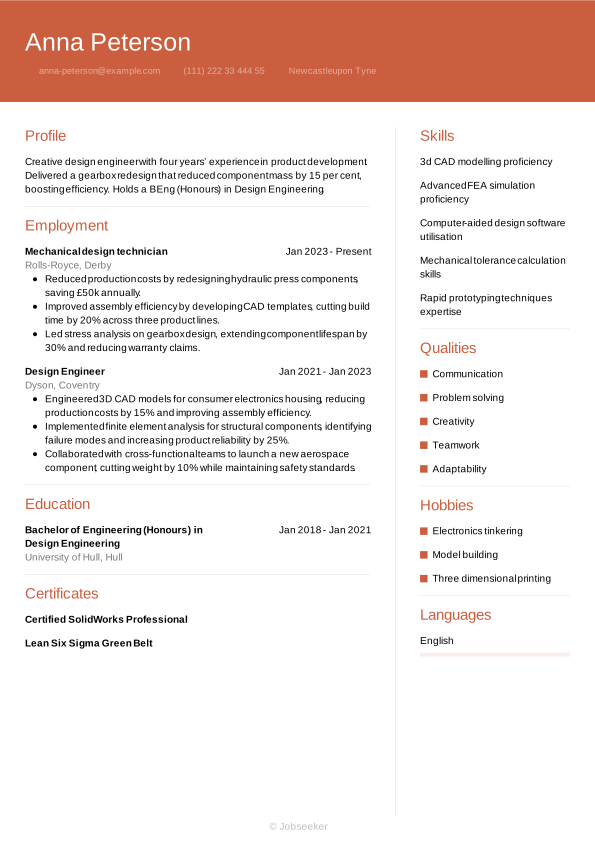
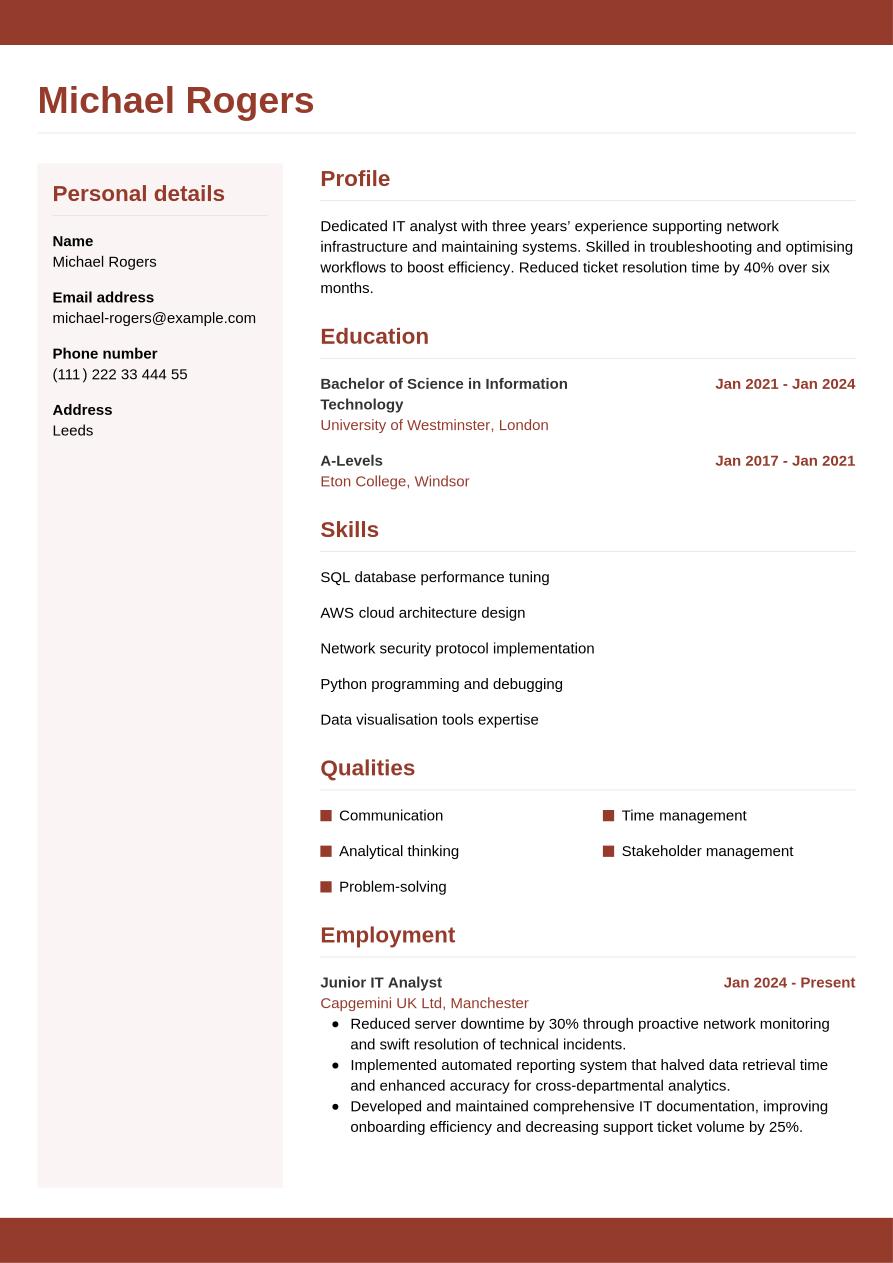
If you're lacking experience in the role or industry you're applying for, you may wish to select a CV format that reduces the emphasis on the work experience section and finds other ways to showcase your skills and achievements. Therefore, if you're just starting out in your career, a functional, or skills-based, CV format might be the best option for you. This structure emphasises your skills and education sections over your work experience. You can also draw on optional sections such as volunteering, certifications and training and hobbies and interests to showcase your skills.
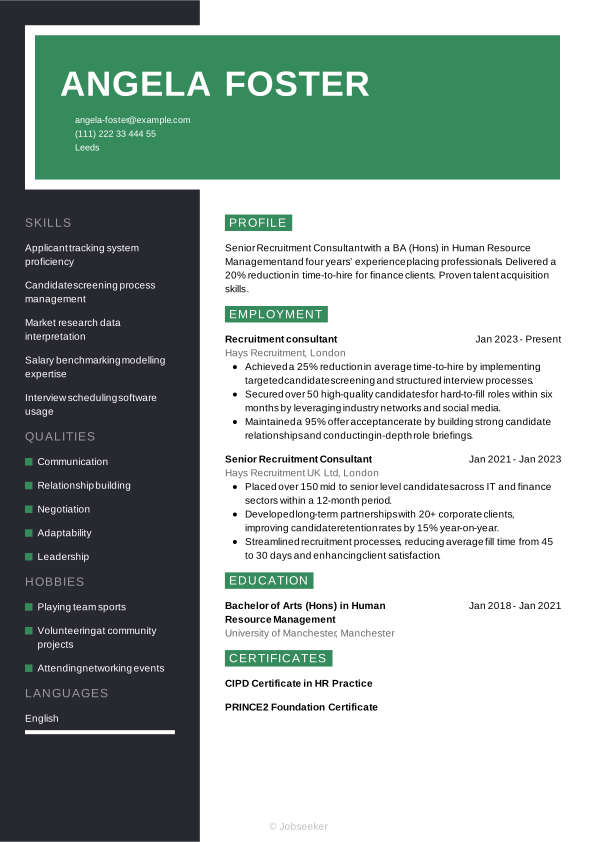
If you've built up some work experience in relevant roles or industry sectors, you'll want to choose a CV format that showcases your career trajectory. Hiring managers will be keen to see how you've used your skills to create positive results for employers in previous roles. In this case, opt for a traditional, reverse-chronological CV to showcase your work experience in the best possible way. List your most recent and relevant jobs first and use bullet points to demonstrate your skills and the impact they've made.
As a senior candidate with a wealth of relevant experience, it's important that your CV showcases your reputation within your industry. Employers will be looking for candidates with the expertise, industry standing and track record to lead a team or organisation. As such, opt for a detailed reverse-chronological CV structure that can adequately showcase the quality and depth of your work experience. You could also add awards, publications, achievements and professional memberships to provide an indication of your standing and reputation.
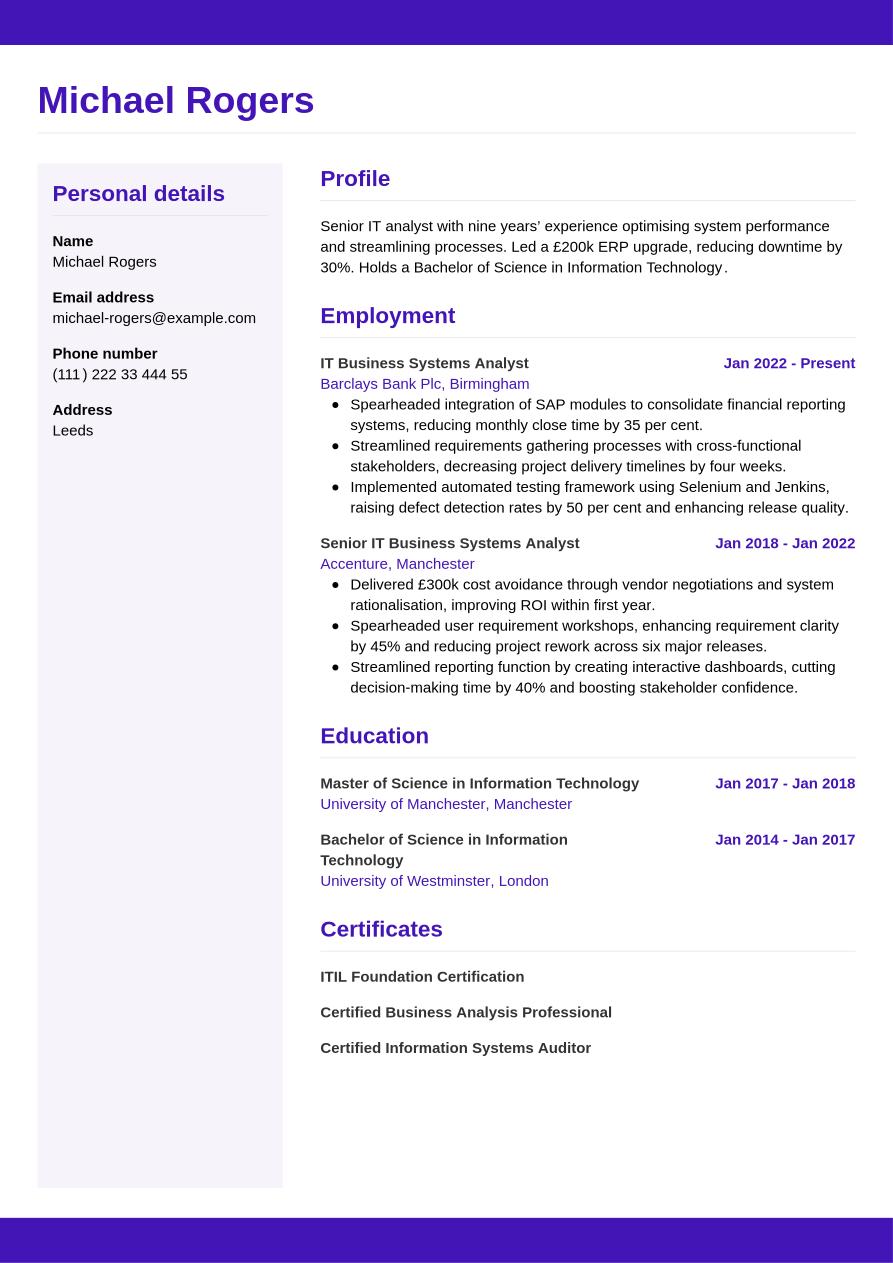
However, at any stage of your career, an IT analyst CV serves as a professional biography that must clearly illustrate your career trajectory. To help you tell that story effectively, we will now break down the document piece-by-piece, starting with your contact header and moving through the key pieces of your professional path.
CV Header
Start your IT analyst CV by adding a professional-looking header that contains all your relevant contact information. Include your name, email address, phone number and location (your full address isn't typically necessary for UK job applications). Additionally, add your LinkedIn profile, if this is in use and up-to-date. A well-utilised LinkedIn profile can give further information to the reader about your skills, experience, industry knowledge and career achievements.
When you're applying for jobs in the UK, it's generally not advisable to include a photo or more personal details than are strictly necessary, such as your age, gender, ethnicity or nationality. Including these can jeopardise the recruitment process by introducing bias, and can fall foul of the Equality Act 2010.
Michael Rogers
michael-rogers@example.com
(111) 222 33 444 55
Leeds
linkedin․com/in/michael–rogers–123
CV Objective
Under your header, write a brief CV summary or CV objective, outlining a few of your key skills, qualities and achievements. This short paragraph can help employers to quickly assess your suitability for the role, setting the tone for your IT analyst CV. While a CV summary showcases your key skills and achievements in the context of your career to date, a CV objective provides an alternative approach. It focuses instead on your ambitions for the future, making it ideal for junior candidates without much work experience.
Whether you choose to write a summary or an objective, aim for a length of two or three sentences, introducing your key skills, unique qualities and key achievements or ambitions, making sure they reflect what's included in the job description.
An effective summary will include brief reference to one or two of your strongest skills, ensuring they reflect the skills listed in the job description. It's important to make your skills and qualities feel unique to you, and show how you've used them to positive effect in your career to date. Find an example below of a positive IT analyst CV summary, characterised by evidence to support your claims and well-structured, easy-to-read sentences.
Best example:
IT analyst with five years in systems analysis and a BSc in Information Technology. Led cloud migration reducing downtime by 30%. Streamlined helpdesk processes to cut resolution times by 25%.
Unengaging example:
Dedicated IT analyst with a BSc in Information Technology and five years of systems analysis experience, seeking to leverage general technical expertise and collaborative skills to support organisational IT operations.
See above for an example of an ineffective summary, with subtle differences leading to a reduction of impact. Common mistakes that lead to an ineffective summary include a lack of quantifiable experience, vague statements or failing to tailor your summary to the job description. Long, rambling sentences that lack structure can also make your summary harder to read.
Professional Experience
The work experience section of a CV is usually the most important part. Employers look for evidence of how you've developed and used your skills to good effect in your career to date, as an indication of your likely future performance. It's crucial to tailor your work experience section to match the requirements listed in the job description, using keywords and phrases so employers can easily see how well you fit the role and organisation.
List only your most relevant jobs, and go back up to 10 or 15 years, depending on your experience levels. List your job title, the name of the employer, its location and the dates you worked there. Also include bullet points for each entry, highlighting how you used your skills to add value for the employer.
What differentiates one CV work experience section from all the others is the use of action verbs and quantifiable evidence in your bullet points. It should showcase how your actions led to positive outcomes for the employer, and show a progression in your skills throughout your career. Here's an example of best practice in an IT analyst CV work experience section:
Best example:
IT Systems Analyst, January 2023 - Present
BridgeTech Solutions, Cambridge
- Optimised server uptime to 99.9% by deploying automated monitoring tools, reducing system downtime and support calls by 40%.
- Designed and implemented a secure cloud infrastructure on AWS, improving data accessibility and reducing operational costs by 25%.
- Streamlined incident management process by integrating ITSM platform, accelerating response times by 50% and enhancing user satisfaction ratings.
Unengaging example:
IT Systems Analyst, January 2023 - Present
BridgeTech Solutions, Cambridge
- Ensured system operations ran smoothly and addressed issues as they arose.
- Collaborated with cross-functional teams to support business objectives and enhance processes.
- Conducted routine troubleshooting and maintenance to uphold performance standards and user satisfaction.
The example above shows what not to do with your IT analyst CV work experience section. The work experience section could fail to make an impression if it's too generic, focuses on older or irrelevant roles or lacks tailoring to the job description. It's also important to avoid focusing too much on responsibilities that don't tell the reader anything of the value you added to the role.
Education and Qualifications
Your education section is the chance to list your most recent and highest qualifications, and anything that's relevant or required for the role.
A degree is typically a strict requirement for IT analyst jobs, and as such, you'll want to showcase yours in your CV. If you have a Bachelor of Science in Information Technology or another similar, relevant degree that confirms your eligibility for the position, include it in your CV. You might also wish to add other degrees or qualifications that highlight your strongest skills, such as Python programming and debugging or network security protocol implementation.
Creating the education section of your CV means selecting the most relevant and highest qualifications, and listing them in reverse-chronological order, starting with your most recent achievements and working back from there. For each entry into your education section, add the qualification name and level, the institution or awarding body, its location and your dates of study or graduation. For extra emphasis on your education section, include bullet points showcasing projects you worked on, modules you studied, awards you won or societies you participated in, if they help you to prove you're a suitable candidate.
Specialist licences or certifications can also be a valuable addition to your CV's education section. If these are essential for the job and are referenced in the job description, it's a good idea to include them here rather than further down your CV. Include any expiration or renewal dates for certifications, if applicable.
Bachelor of Science in Information Technology, 2018 - 2021
University of Manchester, Manchester
Skills
Your CV's skills section CV's skills section is a great place to showcase some of the key skills necessary for the role. Check the job description to understand which skills are most essential, and provide a combination of hard and soft skills, reserving space to include some unique qualities that can help you to stand out from the competition. For an IT analyst CV, it's valuable to highlight essential skills from your skill set, such as stakeholder management and SQL database performance tuning, to grab the attention of hiring managers and show you're qualified for the IT analyst position.
Hard Skills
Hard and technical skills are the essential skills required for carrying out the everyday duties of the role. They might include specialist operation of certain software or equipment, or knowledge of certain industry standards and regulations. You could gain these skills via training, certifications or industry experience. For IT analyst jobs, critical hard skills you've gained in your career can include Python programming and debugging, and AWS cloud architecture design. After checking the job description, include a list of four or five key hard skills in your CV to confirm that you have the necessary expertise for the role.
The ideal hard skills section will feature the most essential hard skills from the job description, while closely reflecting your own best technical abilities. The closer your strongest skills are to matching the job description, the higher your chances of success.
Take a look below to see the type of skills that are commonly listed in an IT analyst CV hard skills section:
- SQL database performance tuning
- AWS cloud architecture design
- Network security protocol implementation
Soft Skills
Soft skills are the personal strengths and qualities that show employers how well you'll fit into the role and complement other members of the team. Soft skills tend to be more transferable and applicable to different roles than hard and technical skills. As a result of rapid technological changes to modern ways of working, soft skills are becoming more and more valuable to employers. Soft skills can also be particularly useful for junior or entry-level roles where candidates haven't had the time or career experience to develop hard skills and notable achievements.
Adopt the same approach as you did with your hard skills list, reviewing the job description to understand the requirements, before assessing which soft skills you can provide evidence for throughout your IT analyst CV. Create a list of four or five transferable skills, combining the most essential skills from the job description with the skills that help you to stand out as a unique and compelling candidate for the position.
The section below provides an overview of soft skills often highlighted in an IT analyst CV.
- Communication
- Analytical thinking
- Problem-solving
Language Skills
Adding foreign language skills to your IT analyst CV can be a valuable addition that reflects well on you as a candidate. Even if language skills aren't listed as a requirement in the job description, if you speak a foreign language, it can be beneficial to add it to your CV. List any foreign languages you speak, together with an indication of your proficiency level.
There are several ways to cite your proficiency in foreign languages. Firstly, you could use a simple descriptive word to indicate your abilities, such as:
- English: Fluent
- Spanish: Intermediate
You could adopt the Common European Framework of Reference (CEFR), as this provides standardised levels to describe your competence, as follows:
- A1: Beginner
- A2: Elementary
- B1: Intermediate
- B2: Upper intermediate
- C1: Advanced
- C2: Proficiency
Certifications, Training and Licences
If you've invested your time and resources into gaining extra qualifications beyond the minimum requirements for the role, you could highlight these in a certifications section. Having a separate section can draw more attention to your training, and show employers your proactive, motivated mindset towards professional development, which could be a key asset. In addition, some roles require specific licences or training just to be eligible for the job, making the certifications section more important. This might include technical roles or positions which require the operation of specialist software, equipment or machinery.
These example certifications and licences are ideal for candidates applying for IT analyst roles:
- ITIL Foundation Certification, 2023
- Certified Business Analysis Professional, 2023
- Certified Information Systems Auditor, 2023
Expert Insight:
Barnet Council’s data shows that CVs beginning with a clear, strong personal statement stand out during the brief recruiter scan. (1)
Additional Information
Including optional sections in addition to the core sections of your IT analyst CV can help you to show employers you're a strong candidate for the job. Consider adding optional sections if you're unable to show all the necessary skills for the job through work experience, but could show them through extracurricular activities and other areas of life. This could be especially relevant if you're a junior candidate, or if you're changing careers.
If you're curious about other ways to make your CV more effective, our career resources will help you strengthen your application.
Hobbies and Interests
One valid way to show you have relevant skills for the job is by listing your hobbies and interests. In addition, hobbies and interests can showcase your personality, helping to differentiate you from other candidates. However, only mention hobbies and interests that are relevant to the role, and that help you prove skills that you haven't been able to show in your work experience or other CV sections.
Achievements
Creating a list of your key career achievements can be an effective way of drawing attention to the things you're most proud of from your career. If you've won any awards or achieved any key milestones in your career to date, you might want to mention them here.
Volunteering
Another way of showing employers your skills and experience is through volunteer roles. If you're struggling to show you have the necessary credentials through your work experience, volunteering can provide valuable examples of how you've put your skills into action. In your volunteering section, use a similar structure to your work experience section.
Add your job title or a description of the volunteer role, the organisation name, its location and the dates you volunteered (start and end date). Under this, add bullet points to show the skills you used, and evidence of how they contributed to positive achievements for the organisation.
Data Insight:
The majority of HR specialists (almost 60%) view volunteering as relevant professional experience. (2)
Best action words for an IT analyst CV
Using strong action verbs in your work experience bullet points gives you the opportunity to show how you've applied skills to good effect in previous roles. Starting each bullet point with an action verb, such as 'delivered', 'collaborated' or 'developed' also allows you to show your key skills and qualities in a way that's easily identifiable for the reader. Remember, it's essential to evidence any action verbs you add to your work experience. This will help show your achievements and the impact you made in previous roles. Use past tense for action verbs that describe previous roles, and present tense for your current position.
- Analyse
- Design
- Implement
- Optimise
- Troubleshoot
- Configure
- Monitor
- Document
- Collaborate
- Streamline
IT analyst CV sample
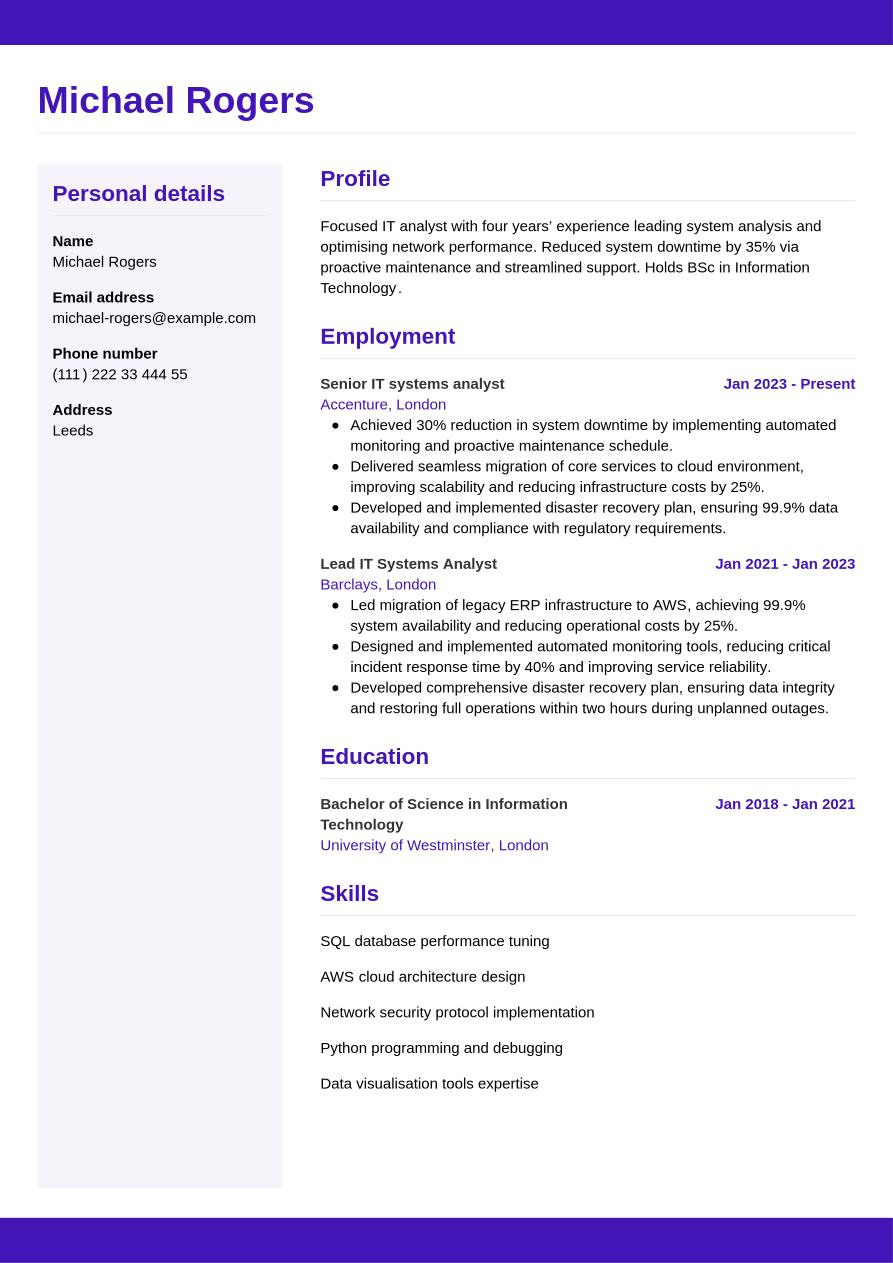
Now that we've covered the main sections to include in your IT analyst CV, we can see how it would all come together in its final form in the example below:
Leeds
•
michael-rogers@example.com
•
(111) 222 33 444 55
•
linkedin․com/in/michael–rogers–123
Focused IT analyst with four years’ experience leading system analysis and optimising network performance. Reduced system downtime by 35% via proactive maintenance and streamlined support. Holds BSc in Information Technology.
Senior IT systems analyst
2023
-2026
Accenture (London)
- Achieved 30% reduction in system downtime by implementing automated monitoring and proactive maintenance schedule.
- Delivered seamless migration of core services to cloud environment, improving scalability and reducing infrastructure costs by 25%.
- Developed and implemented disaster recovery plan, ensuring 99.9% data availability and compliance with regulatory requirements.
Bachelor of Science in Information Technology
2018
-2021
University of Westminster (London)
SQL database performance tuning
AWS cloud architecture design
Network security protocol implementation
Communication
Analytical thinking
Problem-solving
ITIL Foundation Certification
Certified Business Analysis Professional
English - Native
French - Advanced
If you want to get a feel for how your CV will look once you finalise its design and layout, check out our CV examples for inspiration.
The dos and don'ts of a successful IT analyst CV
Tips to follow
- Tailor your CV, matching it to the key skills and experience described in the job description, while telling a unique story about your best qualities and achievements.
- Select a clear, professional CV format that helps your application to be as readable and accessible as possible, including standard fonts, consistent line spacing and clear headings.
- Start with an engaging CV summary or objective that provides a clear synopsis of your career and highlights your best qualities and achievements.
- Quantify your career achievements where possible, using key metrics and positive endorsements and feedback.
- Highlight your key skills with a dedicated skills section that matches both the hard and soft skills listed in the job description.
Common mistakes to avoid
- Don't use unnecessary industry jargon or acronyms that may alienate the reader, when simple, straightforward language will do the job.
- Don't add too much irrelevant or unrelated information to your CV regarding work or other experience – it takes up valuable space and doesn't help your chances of success.
- Don't use an email address that could be considered inappropriate, such as one that includes informal language or nicknames. If necessary, create an email address for your applications, based on your name, initials and/or profession.
- Don't lie or exaggerate to make your application look stronger – misleading claims about jobs or qualifications can be considered fraud.
- Don't crowd your CV with unnecessary extra details, but stick to the key facts and present them in a clear, readable fashion.
A professional cover letter is a key element of any successful job application. Match your cover letter to your CV's style with our professionally-designed cover letter templates.
How to make your CV ATS compatible
Employers and recruiters now routinely use applicant tracking systems (ATS) to ease the burden of the selection process. One of the key functions of these systems is CV screening, which reviews CVs and ranks them based on their likely fit for the role. This task can relieve some of the strain on hiring managers through the recruitment process, which can become very resource-intensive, with roles often eliciting hundreds of applications.
The growing prevalence of ATS means candidates need to write and format their CV in a way that's compatible with the software, giving it the best chance of being accurately scanned and parsed, and ranking highly against other candidates. Here are some tips on how to optimise your CV for ATS screening:
- Include keywords and phrases that match the job description, giving you the best chance of appearing as a strong fit for the role.
- Use standard CV headings that make your CV easier to navigate, such as 'work experience', 'education' and 'skills'.
- Choose a simple, straightforward CV layout with clear, consistent formatting, that avoids text boxes, graphics or other special design elements, as these can make your CV harder to scan.
- Select a font that can enhance the readability of your CV, such as popular serif and sans serif fonts, with size 10 to 12 for body text and 14 to 16 for headings.
- Use bullet points throughout your CV in place of full sentences. This serves a few purposes, reducing the overall length, helping keywords stand out and making it overall more scannable by ATS apps.
It might seem like there's a lot to remember when it comes to making an ATS-compatible CV, but taking care with this stage can really improve your chances of success. To make the process as easy as possible, use one of our expert-designed, ATS-optimised CV templates and boost your chances of success.
If you want to stand out from other candidates with your CV, use Jobseeker's expert-designed CV templates, to instantly improve the look and feel of your application.
IT analyst CV FAQs
How do I produce an effective IT analyst cover letter for my application?
A well-written cover letter can be just as important as a CV for your chances of job application success. When writing your cover letter, choose a formal professional letter format and use a cover letter template that matches the design of your CV.
Most cover letters include three main paragraphs of written content. In the first paragraph, confirm the role you're applying for and reference your reasons for applying, including how it fits with your career journey and why you want to work for the organisation. Secondly, write a brief paragraph outlining your key skills and achievements, taking care not to simply repeat the details in your CV. Finally, express your gratitude and enthusiasm, and leave a call to action that encourages the reader to reach out to you to arrange an interview or establish a dialogue.
Alternatively, if applying via email, you may wish to write a shorter, more simple cover note. You can use traditional email conventions for this, which are less formal than standard letter conventions. Simply introduce yourself and confirm the role you're applying for, direct the reader to the attached documents and add your contact details in your email footer/sign-off.
Jobseeker's cover letter examples for IT analyst and information technology industry roles provide useful tips and guidance from HR experts on how to write a compelling cover letter.
How do I write an IT analyst CV without experience?
Even if you don't have much work experience, you can still write an IT analyst CV that impresses employers.
Select a CV structure that makes the most of your relevant skills, rather than focusing on your work experience, such as a functional format. In this layout, the skills and education sections come before work experience.
For entry-level roles, employers tend to look more for candidates with the right soft skills to show they can learn and develop on the job. As such, place extra emphasis on your soft skills for an entry-level IT analyst CV.
How do I write an IT analyst CV headline?
A CV headline can be an effective way of introducing yourself in your CV and setting the tone, so the reader can quickly identify whether you're likely to be a good fit for the role.
Aim for a short, snappy sentence that includes the job title and introduces one of your strongest, most relevant skills or qualities.
For the most attention-grabbing CV headline, match your sentence to the most critical keywords and phrases from the job description. This will catch the eye of the reader as well as giving you the best chance of passing the ATS screening stage.
Below you can find some examples of best practice for CV headlines at different levels of experience:
- Junior IT Analyst Driving Innovation
- Results-Driven IT Analyst Optimising Systems
- Senior IT Analyst Driving Innovation
What's the most effective CV format for an IT analyst CV in 2026?
The best CV format for an IT analyst CV in 2026 depends on both your experience levels, and the role you're applying for, including its level, the company and industry norms.
In most cases, the traditional reverse-chronological CV format is most effective, as it showcases your work experience, providing examples of relevant skills and how you've used them to contribute towards key achievements in your career to date.
Conversely, for candidates without relevant work experience (such as recent graduates or career changers), a functional format can be beneficial, as this emphasises skills and qualifications over work experience.
Key takeaways for a winning IT analyst CV
To grab the attention of the reader with your CV, tailor it to the exact specifications of the job description, incorporating keywords and phrases that match the employer's requirements. Pick a CV format that matches your experience level, and focus on showing the reader how you've developed relevant skills and put them to good use to add value for previous employers.
Finally, building your CV using Jobseeker's HR-approved CV templates can help to catch the eye of recruiters and hiring managers, making your application stand out and giving you the best chance of gaining your dream job.
References:
- Barnet Council (UK local government), Recruitment tips: How to write a supporting statement
- Jobseeker, HR Trends

Impress employers with your CV
Step-by-step guidance to create a professional CV in minutes.