How to Create a Europass CV: A Guide with Format Tips
The Europass CV is a standardised CV template, provided by the European Commission to enable consistent, comprehensive job applications across Europe. In this article, we discuss how to create and format a Europass CV, when to use it and discuss alternative tools for your European job applications.

When you're applying for jobs in Europe, Europass can help you include all the necessary information employers want in a clear, well-structured CV format, including making skills and qualifications easily understood across country borders. But is it always the right choice to create your CV with?
By reading this article, you will learn:
- What is a Europass CV.
- When to use Europass, and when not to use it.
- How to make a Europass CV, step by step.
- The pros and cons of Europass CV.
- Alternatives to Europass, including online CV builders, and their advantages over Europass.
What is Europass?
Europass is an EU initiative which seeks to simplify the process of studying or working abroad for European jobseekers. With the understanding that no qualifications are the same in each country, Europass makes it easier for employers to compare and evaluate qualifications and for jobseekers to present their skills and experience in a clear and transparent way.
Europass Profile
The Europass CV is one of various documents and information sources you can add to your Europass Profile. This is an online profile tool that helps users to manage their learning and careers across Europe. In it, you can record all your experience, qualifications and skills, and upload documents such as diplomas and reference letters, that you can use to generate Europass CVs and cover letters. Previously, Europass offered the 'European Skills Passport', which was a collection of five key documents, including a Europass CV, but this service has since been replaced by the Europass Profile and Europass Library.
What is the Europass CV format?
Europass offers a standardised, clear CV format that contains all the key information you should need to apply for jobs across the EU. The structure is fixed and omits some information you might be familiar with from other CV layouts, such as a personal statement or CV summary. It uses clearly defined, consistent headings and sections to make the information as easy to follow and analyse as possible.
The core sections of a Europass CV are:
Personal information
Just like most other CV layouts, Europass starts with a personal information section. There are a few key items you must include in your personal information, and some that are optional. You can decide which of these to add depending on the role, the country you're applying for and the job application customs in that country.
Work experience
Work experience is the most substantial and critical section of the Europass CV, just like it is with most other traditional format CVs. Your Europass Profile will include details of all your former employments, so you can simply pick the most suitable from there for your CV. You can also add bullet points for each entry to showcase your skills and achievements in the role.
Education
The education section is a key feature of the Europass CV, because it uses a standardisation framework to help employers understand the level of qualifications across borders. Qualification types and grading systems can differ between countries, but Europass standardises them for easy comparison, using something called the EQF (European Qualifications Framework).
Language skills
Language skills are particularly important when applying for jobs across the EU, as so many companies and organisations trade or cooperate across borders. In this section you can detail language skills using the standardised CEFR (Common European Framework or Reference for Languages). This helps employers to make consistent, direct assessments of your language competencies.
Digital skills and other competencies
The Europass 'Personal Skills' section is divided into various skills subsections, so you can be specific about certain types of skills that are most relevant to the role you're applying for. This includes languages, communication skills, organisational/managerial skills and digital skills. For many modern jobs, the digital skills section is a critical element of your CV.
In this section you can:
- Categorise digital skills by areas of specialism
- List proficiency in specific tools, software and programming languages
- Add context to your skills (showing how you're used them)
- Include evidence, such as certificates and diplomas
How to create a Europass CV
Follow these steps to create a Europass CV that you can use for your applications across Europe:
Step 1: Create your Europass Profile
The process of creating a Europass CV starts with a Europass Profile. You can add all your personal details, career history, skills and education into your profile, from which you can pick the most relevant and impactful each time you wish to create a Europass CV. You can also attach certificates, licences, recommendation letters and other useful documents into your Europass Library.
Step 2: Fill in your personal details
In your personal details section, add the following:
- Full name (first and last name)
- Phone number
- Email address
- Postal address (you can decide how much detail to add)
You could also include optional details in this section, such as a personal photo, date of birth/age, nationality, and gender. If you're not sure whether to include these details, check the customs and legal requirements of the country you're applying in.
Step 3: Add experience using quantifiable bullet points
List your work experience in reverse-chronological order, starting with your current/most recent role, and include the following:
- Job title (in the language of the country you're applying in)
- Company/organisation name
- Location
- Dates of employment
Add any previous positions that are relevant to the role you're applying for. Include several bullet points for each job entry, to describe how you put your skills to use, adding strong action verbs to show your impact and quantifying your achievements with evidence wherever possible.
Step 4: Add education with EQF level explanation
As with your work experience, list your most relevant and impactful qualifications from your Europass Profile in reverse-chronological order, including the following information:
- Title of qualification/name of degree
- Institution name
- Date
- EQF (European Qualifications Framework) level
For each entry, you can also add some brief, key information such as the modules you studied, dissertation titles or any awards or other key achievements that are of relevance to your application.
Step 5: Fill in language skills using CEFR
List your language skills in their own dedicated section. Consider listing any languages that you speak to a level you would consider viable for use in a professional setting. Use the CEFR system to provide standardised language levels that employers will understand. The CEFR rating system breaks down as follows:
Language level | Description |
A1 | Breakthrough or beginner |
A2 | Waystage or elementary |
B1 | Threshold or intermediate |
B2 | Vantage or upper intermediate |
C1 | Effective operational efficiency |
C2 | Mastery or proficiency |
Step 6: Add skills in the correct Europass subsections
In addition to language skills, the Europass Profile's 'My Skills' section usefully breaks skills down into these categories:
- Digital skills
- Communication skills
- Organisational/managerial skills
- Job-related skills
- Other skills
- Driving licence
You can choose which of these sections to add to your CV, and which skills to list, depending on the job you're applying for.
Step 7: Choose layout, format and download
Europass offers four templates, giving you some scope to adjust the look and feel of your CV to suit your application and personal style. However, there are limited customisation opportunities, so if you need to produce a creative CV, or you want your CV to stand out visually from the competition, you might need to use an alternative CV builder.
Once you're happy with your finalised Europass CV, you can download it as a PDF file. This is compatible with most ATS apps, but lacks the accessibility of MS Word, which is a more universal format. You can also download your CV as an XML file, which is a data format that allows you to edit your content in a programme like Excel, then re-upload it to Europass.
Step 8: Attach supporting documents
While you can't attach or embed supporting documents directly into a Europass CV, your Europass Library can be a useful repository for certificates, licences and other documents that you can use in your job applications. Once you've uploaded key documents to your Europass Library, you can generate a sharing link and send it to employers so they can assess and verify your credentials.
Find cover letter inspiration
You can also use Europass to create a cover letter, but Jobseeker has various HR-approved cover letter examples to help you understand how to make a positive impression on the hiring manager.
When should you use a Europass CV?
The Europass CV is a good choice in these situations:
Applying in multiple EU countries | If you're applying for roles in multiple EU countries, Europass can keep all your application information organised. The standardisation tools and formats of Europass also help you to provide usable, reliable information to employers across borders, without needing to reinvent and adapt your CV to meet expectations in different countries. |
Applying through EU-funded programmes | EU-funded programmes will have strict and clearly defined selection criteria, for which Europass is ideal. The format gives all the information EU-funded programmes will be seeking of candidates, and delivers it in a clear, easily analysed format that allows for quick and consistent comparison between candidates. |
Applications in public institutions or academia | The thorough nature of Europass CVs suits applications to academic or public institutions perfectly. Once you've built a Europass Profile, all the information about your career and education will be readily available to add to your CV, enabling you to include comprehensive and detailed information, which academic and public organisations typically require of candidates. |
Situations where standardisation is required | A Europass CV will be ideal for any European role requiring exacting information in a standardised format. If your level of qualification and certification is critical to being eligible for the position, it's worth considering Europass, as it makes this information clear and obvious to any employer. |
When should you NOT use a Europass CV?
While Europass is a valuable tool in many scenarios, there are some situations when it's best to avoid it. This includes the following:
Applying in the UK | While the UK is no longer in the EU, the UK government did support the Europass initiative, and it was sometimes used in the UK in previous years. However, the format never became widespread and recruiters and employers typically view it as too rigid, preferring a more expressive, individually tailored CV. |
Applying to private-sector companies | Private sector companies, both in the UK and Europe, tend to prefer individually created CVs that focus on providing a concise summary of your key skills and achievements, and evidence of how you can apply them to the role. Europass tends to be too long, generic and rigid in its structure, and as such a Europass CV will really struggle to stand out in a competitive field of applications. |
Creative or competitive roles | When recruiting for creative positions, employers will want your CV to reflect your creative mindset and abilities. Europass provides a more direct, forensic account of your career but doesn't do the best job of showcasing your creative skills. Likewise, for particularly competitive roles, Europass won't help you make a stronger impression than other candidates. |
ATS-optimised applications | ATS often provides the first level of CV screening for recruiters, so you'll want your CV to be optimised to perform well in this automated process. While most ATS apps will parse content from a Europass CV adequately, it's unlikely to perform well against a CV that's specially-designed for ATS compatibility. Online CV builders like Jobseeker can do a better job at creating an ATS-friendly CV. Jobseeker's CV templates are well-structured to help you progress through this stage, while being visually engaging in a way that's more likely to impress recruiters and hiring managers. |
Pros and cons of a Europass CV
As mentioned, Europass provides CV formats to help people apply for jobs in Europe. Their service has several pros and cons:
Pros
- Provides a clear, well-structured layout
- Offers standardisation of qualifications
- Gives the opportunity to list different skills categories
- Easy to produce tailored CVs from your Europass profile
- Is ideal for public sector or academic applications
Cons
- Can be considered too rigid in structure
- Offers no scope for customised layouts and design
- May result in a longer, less concise document
- Isn't ideal for creative or private-sector roles
- Performs less well with ATS screening than specific ATS-friendly CV templates
Jobseeker vs. Europass: which CV tool should you use?
Here's a quick comparison of Europass and Jobseeker's CV builder, to assess which one is ideal for your next European job application:
Europass | Jobseeker | |
CV style and design | Single standardised format (functional but basic) | Range of professional designs offering more visual impact |
Customisation options | Limited templates with no customisation | Multiple templates with high potential for customisation |
ATS compatibility | Clean, well-structured layout makes for easy ATS parsing | Specially-designed ATS-optimised layouts make for even better ATS performance |
Ease of use | Straightforward form filling process | Form-filling, with drag and drop customisation and real-time previews |
Language support | Excellent language support and translation, supported in all 31 EU/EEA languages | Supports CV creation in other languages, using reliable, standardised CV headings in other languages |
AI assistance | No AI assistance | Optional AI suggestions, to improve your written content based on your target job title |
Cover letter tools | Basic integrated cover letter tool included | Full cover letter builder, with cover letter templates that match the CV layouts |
Version control | Easy to update and create new versions via Europass account, using content from Europass Profile | Easy to replicate CVs and tailor for different job applications |
Export options | Export as PDF | Export as PDF |
Best suited for | Academic jobs, public sector/EU institutions and students applying to international courses | Creative, private sector and applicants to multinational companies |
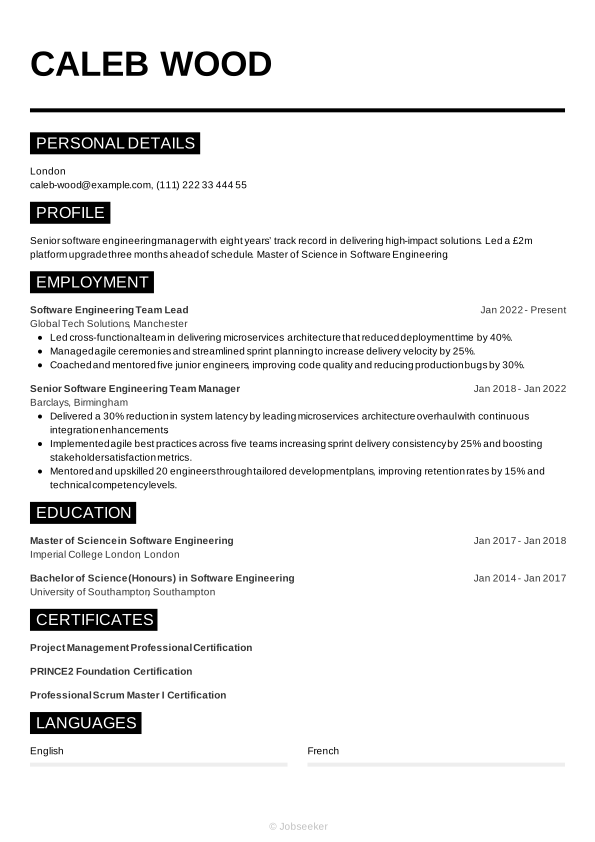
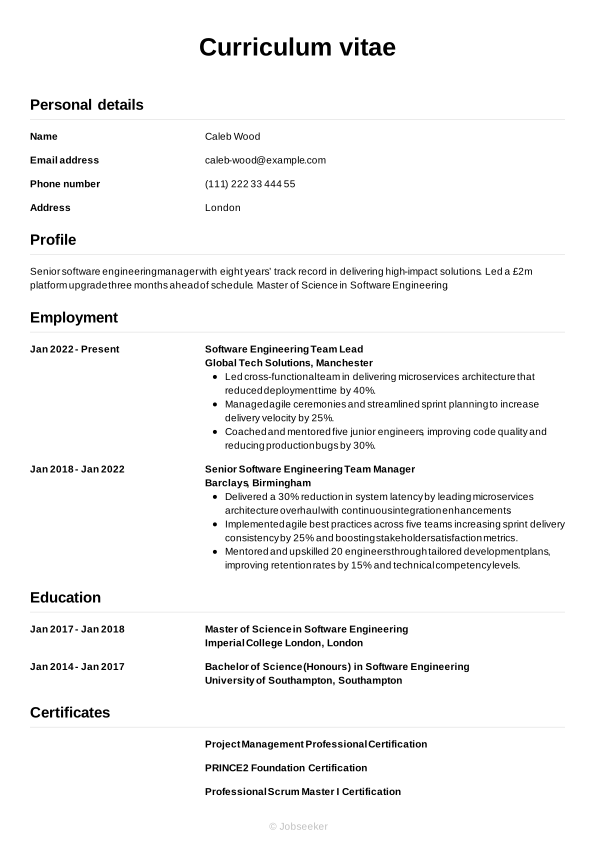
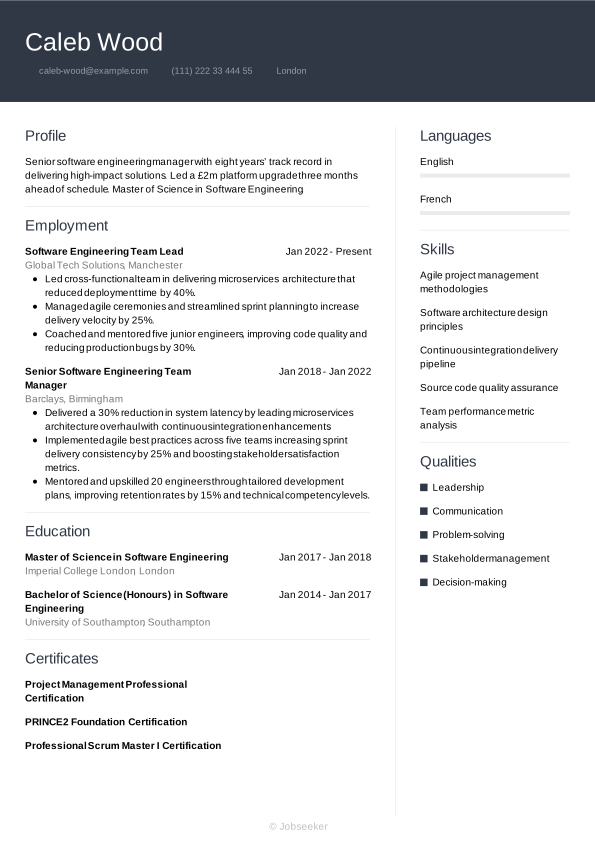
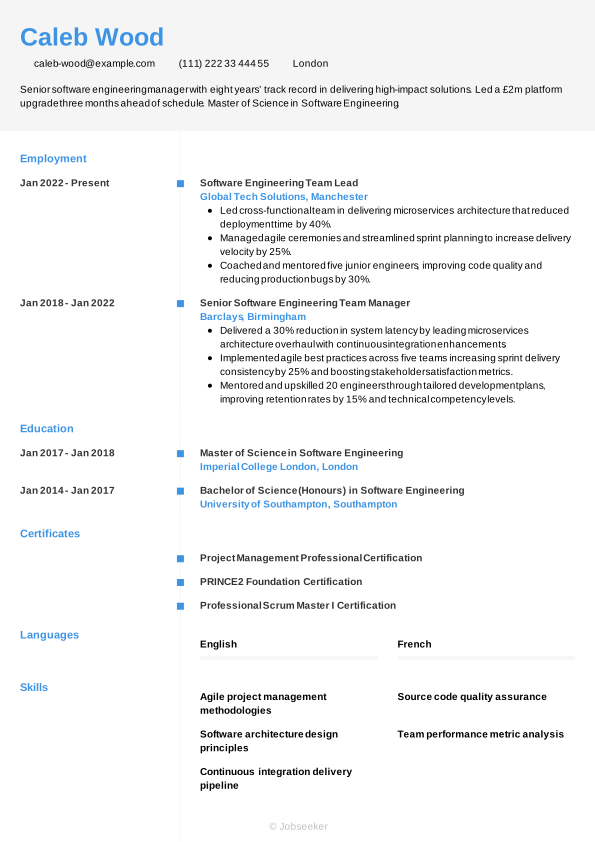
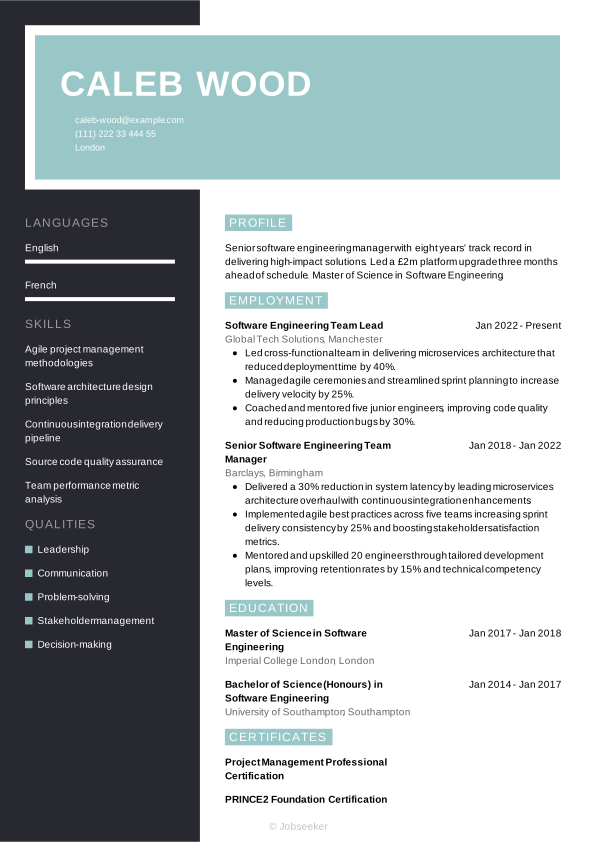
If you're looking to create a CV that makes a strong first impression with European recruiters and employers, Jobseeker's online CV stands out when compared to Europass. Take a look below at the CV examples and templates offered by Jobseeker, so you can get inspired to create your next winning job application.
Key takeaways for a Europass CV
Europass has some very useful features, and can help you create a CV that's ideal for some job applications. When considering whether to use Europass for your job applications, remember:
- Europass offers a highly structured, organised CV creator tool with standardisation of qualifications for use across EU countries.
- Europass can be suitable for applications to academic institutions (either to work or study), and for public sector bodies and EU institutions.
- There are limitations to Europass that might harm your chances of success for certain roles, such as creative positions and applications to large private sector firms.
- Online CV builders can offer a more visually engaging, customisable and ATS-friendly solution for your next CV.
Jobseeker is the ideal alternative to Europass if you're looking to impress hiring managers with an eye-catching CV design and a professional CV layout. Jobseeker's tools and resources can give you everything you need to produce a high-quality CV in minutes. Sign up today to get started.
Europass CV FAQs
What is the difference between a CV and a Europass CV?
A CV and a Europass CV contain many similarities, but also several differences. While creating your own CV gives you the freedom to customise the design of the document, Europass is more rigid in its design, but provides tools to standardise applications across European countries. With Europass you can build your complete career and educational profile and create CVs from that information, using suitable translations and standardised equivalents for qualifications.
Which countries use Europass CV?
Europass is an EU initiative, so you can use it to apply for jobs across all 27 EU countries, plus countries in the European Economic Area. However, before you use Europass, do some research to find out which countries it's widely used in. In countries where employers value a highly standardised application format, Europass may be more widely used than in countries where employers encourage more creative, individual applications.
Is Europass CV used in the UK?
Europass CV isn't generally used in the UK. The UK supported the Europass initiative upon its inception. However, the UK's withdrawal from the EU reduced usage of Europass. In addition, the tendencies of employers to favour individually created, tailored CVs that sell the candidate's qualities and show relevant skills and achievements, means that Europass is now rarely used for UK job applications.
Is Europass CV free?
Europass is completely free to use. Funded by the EU, the service is free to all users without subscription. You can create an account, build your Europass Profile, upload documents to your Europass Library and create Europass CVs, all free of charge.
How many pages should a Europass CV be?
Your Europass CV should be as long as the standard CV length in the country you're applying in, or for the role you're applying for. Across Europe, standard CV lengths vary between 1 and 2 pages, so in most cases it's best to aim for that length for your Europass CV. However, if you're using Europass to create an academic CV, to apply for jobs in public/EU institutions, or applying to study in the EU (all good reasons for using Europass), you may wish to make your CV longer (between 3 and 4 pages).

Impress employers with your CV
Step-by-step guidance to create a professional CV in minutes.




![Should You Put Your Address on Your CV? [Examples]](/api/media/images/2131e75f-c52f-4391-b005-d0c972f759ef/380-190-15.79%2C0.00%2C68.42%2C100.00/should-you-put-your-address-on-your-cv-examples.jpg)